Custom WooCommerce plugin development is the practice of building bespoke extensions that give WooCommerce capabilities no existing plugin was designed to deliver tiered pricing engines, marketplace payouts, product configur, ERP synchronization, AI-assisted merchandising, and more. Done well, custom WooCommerce plugin development removes the workarounds that quietly cap revenue and replaces them with purpose-built logic your competitors can't simply install.
Here's the uncomfortable truth most store owners discover too late: you've installed six plugins, paid for three premium licenses, and your checkout still can't handle tiered B2B pricing. Your operations team has built its workflow around a plugin's limitations instead of the other way around. And every WooCommerce update feels like a round of Russian roulette with your revenue.
The business case custom development is straightforward: when a store's revenue model, operations, or customer experience doesn't fit inside an off-the-shelf plugin's assumptions, a purpose-built extension removes the ceiling's quietly capping growth.
This article walks through ten concrete business cases where a custom WooCommerce plugin pays for itself, explains how those cases differ for users, copywriters, and designers, and covers scoping, budgeting, maintenance, and the mistakes that derail projects.
If you want the short version buy plugins for commodity problems, build plugins for competitive problems.
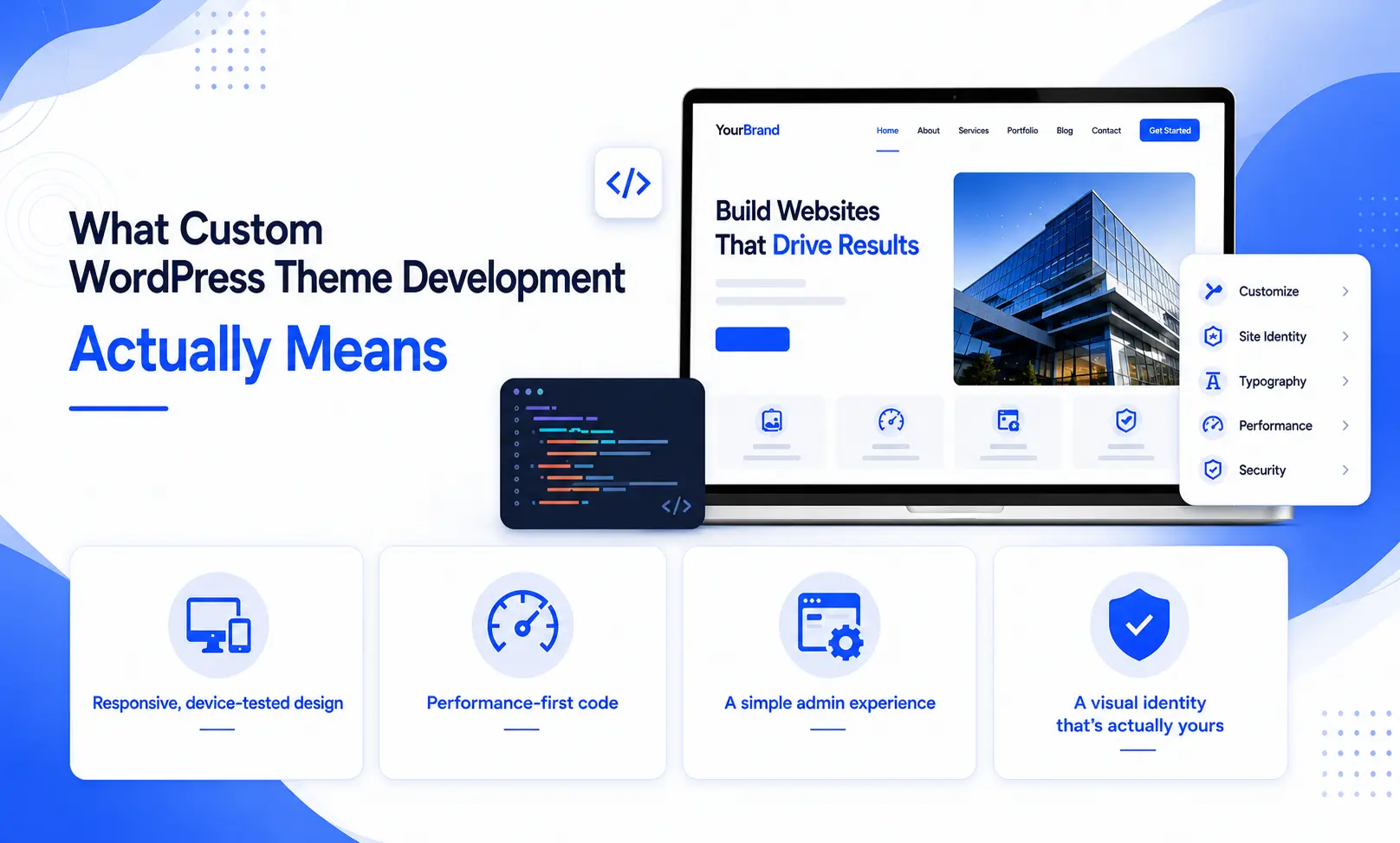
Source: rstheme.com
What Custom WooCommerce Plugin Development Actually Means
WooCommerce is an-source ecommerce framework built on WordPress. Its core handles the universal parts of selling online — products, cart, checkout, orders, taxes, and a REST API that exposes that data to other systems. Everything beyond that arrives as an extension, officially called a plugin.
A custom WooCommerce plugin is a standalone package of, JavaScript, CSS, and database structure that hooks into WooCommerce's extension points: actions, filters, REST routes, payment gateway classes, shipping method classes, and admin screens. It installs like any other plugin and lives in its own repository, which means it never collides with your theme and never disappears when you redesign the siteThat last point matters more than most store owners realize. Many businesses attempt to solve custom logic through theme functions or a snippet manager. That approach is invisible, untestable, and fatal during a redesign. A proper plugin isolates business logic from presentation, which is exactly what makes it maintainable for years rather than months.
The WordPress Plugin Handbook documents standards that separate a professional custom WooCommerce plugin development project from a fragile: coding standards, internationalization, security practices, and uninstall routines. Any developer you hire should be able to speak to all four.

Source: freemius.com
Why Off-the-Shelf Plugins Hit a Ceiling
Marketplace plugins are excellent at solving common problems cheaply. They are incapable of solving uncommon problems, because they must serve thousands of stores with competing requirements. That constraint produces predictable symptoms:
- Plugin bloat: you install twenty features to use two, and every one of them adds queries, scripts, and update risk.
- flow mismatch: your operations team bends its process around the plugin instead of the plugin bending around the team.
- Integration: two plugins that each work perfectly alone frequently conflict when they touch the same hook.
- Pricing walls: the feature you actually need sits in the top tier, often priced per site per year, forever.
- Performance drag: generic code loads assets on every page because it cannot know which pages you need.
A custom extension inverts all five. It ships only what you need, matches your process exactly, integrates with known systems instead of guessed ones, carries no renewal, and loads nothing it doesn't have to.
The decision rule is simple: if the is a commodity, buy. If the requirement is part of your advantage, build it.
10 Business Cases for Custom WooCommerce Plugin Development
These ten scenarios appear repeatedly in real ecommerce projects. Each one describes a business problem, the custom plugin work that solves it, and the outcome that justifies investment.
1. Subscription and Membership Logic Beyond Standard Billing
Standard subscription plugins handle a recurring charge against a product. They struggle the moment billing becomes variable — usage-based tiers, seat counts that change mid-cycle, paused subscriptions with credit, or membership levels that unlock different catalogs.
A custom plugin models that logic explicitly. It can calculate charges from stored usage data, prorate upgrades and downgrades precisely, apply retention at the moment of cancellation, and expose every event to your CRM. For businesses where recurring revenue is the model rather than a side feature, a churn reduction of a fraction of a percent typically exceeds the entire build cost.
2. B2B and Wholesale Pricing Engines
B2B pricing is rarely a single discount percentage. It's contracted price lists, customer-specific tier breaks, quantity ladders that vary per order, minimum order values, tax exemptions tied to account status, and payment terms like net-30 that must appear at checkout without a card being charged. A WooCommerce REST API–driven custom pricing engine can resolve the correct price on every request, keep contracted rates confidential from retail shoppers, and generate quotes that convert to orders without re-entry.
Real-world impact: A mid-sized industrial supplier we scoped eliminated 40 minutes of manual quoting per order — across 60 weekly orders, that's2,080 hours of sales labor reclaimed annually. This is one of the highest-ROI custom WooCommerce plugin development builds in the ecosystem because it removes quoting labor from every sales cycle.
3. Multi-Vendor Marketplace Workflows
Turning a store into a marketplace means solving commission calculation, split payouts, per-vendor shipping, refund liability, and dispute handling. Generic marketplace plugins cover the demo case and fracture on the real one — vendor with negotiated commission rates, for example, or a payout schedule that varies by region.
Custom development lets you own the ledger. You define commission rules as data, not code, so the team can change terms without a deployment. You control when funds are released relative to delivery confirmation and return windows. And you keep full ownership of vendor relationships.
4. Product Configurators and Made-to-Order Builders
Custom furniture sellers, print shops, and industrial suppliers all share the same reality: the product is a configuration, not a SKU. Customers choose dimensions, materials, and finishes, where price and compatibility interact.
A configurator plugin handles option dependencies, live price recalculation, constraint validation ("this fabric is unavailable on this finish"), file uploads for artwork, generation of a production spec sheet attached to the order. WooCommerce's native variable products cannot express conditional logic, and forcing them to try produces thousands of meaningless SK.
5. Custom Checkout Fields, Validation, and Regulatory Compliance
Checkout is where legal and operational requirements collide with a fixed form. Common needs include tax ID collection with live validation, address verification, delivery date and time-slot selection, gift messaging, sustainability opt-ins, and jurisdiction disclosures.
Custom checkout work also covers the unglamorous necessities: capturing consent records with timestamps for audit, validating postcodes against carrier serviceability, and blocking orders that violate regional restrictions. These requirements vary by country and change with regulation, which is precisely why they belong in own code rather than in a plugin maintained by a company with different priorities.
If checkout performance is part of the problem, pair this work with the Core Web Vitals guidance published web.dev — checkout is the page where every millisecond converts directly to revenue.
6. ERP, CRM, and Inventory Synchronization
Manual data entry between a store and back-office systems is the most expensive invisible cost in ecommerce. Products, stock levels, customer records, and order statuses drift out of sync, and someone spends their week reconciling spreadsheets.
A synchronization plugin creates a reliable, idempotent bridge. It pushes orders to the ERP with retry logic, pulls inventory levels on a schedule, customer records across systems, and logs every transaction so failures are diagnosable rather than mysterious. Because every ERP has its own schema, this is almost never a buy-off-the-shelf job.
7. Local Payment Gateways and Regional Shipping Rules
Global stores frequently discover that the gateway their customers actually use isn't in the official WooCommerce gateway list, or that shipping carriers provide rate APIs the standard integrations don't support.
Custom gateway development means implementing the provider's specification against WooCommerce's payment gateway class — handling authorization, capture, refunds, webhooks, and 3D Secure flows. Custom shipping logic handles dimensional weight, multi-warehouse split shipments, free-shipping thresholds that exclude certain categories, and carrier rate shopping.
8. Performance Engineering at Scale
A store with 40,000 SKUs, heavy variation, and dynamic pricing behaves nothing like a store with 200 products. Slow catalog queries, bloated variation tables, and unindexed lookups drag the entire site down.
Custom plugin work here is architectural: caching price resolution, denormalizing data indexed tables, deferring non-critical scripts, and replacing generic filtering systems with purpose-built query logic. Performance projects rarely produce a visible feature, which is exactly why they're often deferred — and exactly why they compound in value when done early.
9. Digital Delivery, Licensing, and Access Control
Selling software, courses, or paid content requires more a download link. You need license key generation and validation, activation limits, entitlement expiry, secure signed download URLs, and revocation when a subscription lapses.
A custom plugin ties delivery to entitlement rather than to status, which prevents the classic failure where refunded customer retains access indefinitely. It also lets you expose a licensing API that your product can call from the customer's machine.
10. AI-Assisted Merchandising, Personalization and Automation
This is the fastest-growing category, and the one most relevant to teams already working with AI tools. The pattern is consistent: an AI model can generate or reason about content, but it needs structured access to your catalog, customers, and orders to useful at store scale.
- Semantic search and recommendations: vector embeddings of product attributes and descriptions, served through a custom search endpoint.
-Automated merchandising:** that reorder based on margin, stock depth, and predicted demand rather than manual curation- Content pipelines: bulk generation of product descriptions, alt text, translations, and structured attributes, written back to WooCommerce with approval workflows. - Support automation: an assistant with scoped read access to order and shipping data, so it answers "where is my order" without a human.
The critical engineering work is not model call — it's the guardrails: rate limits, prompt injection protection, human approval gates, and audit of every automated change. That guardrail layer is custom by definition.
How This Applies to AI Users, Copywriters, Designers
Custom WooCommerce plugin development isn't only for enterprise operations teams. Three creative and technical roles benefit directly.
For AI Users and Automation Builders
If you're building GPT-powered workflows, you need a controlled interface into WooCommerce. The REST API covers standard resources, but endpoints let you expose exactly the fields and actions your automations need — and nothing more. A well-built custom endpoint with authentication scopes is the difference between an automation that runs reliably and one that breaks whenever a plugin updates.
For Copywriters
Content work breaks down when it lives in unstructured custom fields and unsearchable product tables. A custom plugin can add structured content fields with validation, bulk-editing screens that make rewriting 500 product descriptions tractable, revision tracking for regulated copy, and programmatic quality checks. It also gives you clean, schema-ready output — the foundation for the structured data that drives rich results.
For Designers
Design intent frequently dies at the template layer. Custom plugins can register Gutenberg blocks for product-specific layouts, expose design tokens as theme settings, and enforce component-level markup so that a card designed in Figma renders identically in the cart, the catalog, and the checkout upsell. The accessibility win here is substantial: consistent, semantic markup is the prerequisite for meeting WCAG 2.2 conformance.
Build vs. Buy: A Practical Comparison
| Factor | -the-Shelf Plugin | Custom WooCommerce Plugin |
|---|---|---|
| Upfront cost | Low, annual | Higher, one-time |
| cost | License renewals per site | Maintenance and hosting only |
| Feature fit | Approximate; you adapt | Exact; it adapts to you |
| Performance impact | Generic, often heavy | Minimal, scoped to your needs |
| to launch | Days | Weeks |
| Competitive advantage | None — your competitors can buy it too | Significant — the logic is yours alone |
| Vendor risk | Depends on a third party's roadmap | You control the roadmap |
The honest answer: most healthy stores run a hybrid. They commodity plugins for reviews, basic SEO, and shipping, and they build custom extensions for the two or three systems that define how they compete.
How a WooCommerce Plugin Project Runs
Professional engagements follow a predictable sequence. Understanding it protects you from scope surprises.
- Discovery and requirements mapping. The developer interviews stakeholders, documents current workflows, and identifies what's actually broken versus what's merely inconvenient.
- Technical specification. Data models, hook points, admin interfaces, third-party integrations, and edge cases get written down before code is written.
- Architecture decisions. Whether the logic lives in a plugin, a companion service, or a headless front end is decided here — this choice determines long-term cost more than any other.
- Iterative build. Work ships in reviewable increments with a staging environment, so you see progress rather than waiting months for a black box.
- Testing. Unit tests for business logic, integration tests against WooCommerce APIs, and manual QA across browsers and devices.
- Deployment and handover. Version control, documentation, and access to the repository — you should own the code outright.
- Maintenance. A defined plan for WooCommerce major releases, WordPress core updates, and PHP version bumps.
The handover point deserves emphasis. Insist on repository ownership, readable documentation, and a codebase that follows WordPress standards. Code you can't hand to another developer isn't an asset — it's a hostage situation.
Cost, Timeline, and Maintenance Reality
Custom WooCommerce plugin development is priced by complexity, not by lines of code. A focused extension solving one well-defined problem sits in the low four figures and ships in a few weeks. A multi-vendor marketplace with commission ledgers, split payouts, and vendor dashboards reaches five figures and several months. AI integration layers, ERP bridges, and payment gateways fall between, depending on how many external systems must agree with each other.
Three cost drivers dominate every estimate:
- Integration count. Each external system adds authentication, error handling, and testing surface.
- Admin complexity. Custom screens for non-technical staff take longer than the underlying logic.
- Edge cases. Refunds, partial shipments, currency changes, and failed webhooks consume more time than the happy path.
Budget maintenance from the start. WooCommerce ships updates regularly, WooCommerce's own documentation tracks deprecations, and a plugin that't maintained becomes a security and compatibility liability within a couple of years. An annual maintenance retainer is far cheaper than an emergency rebuild.
Five Mistakes That Sink Plugin Projects
Skipping the written specification. Verbal requirements mutate. Written ones get estimated, tested, and delivered.
Choosing the cheapest quote. The gap between a junior developer and a senior WooCommerce specialist shows up eighteen months later, when an update breaks checkout on your busiest day.
Put business logic in the theme. Themes get redesigned. Logic that lives in them dies with the redesign.
Skipping automated tests. Commerce code handles money. Untested code that handles money is a liability, not a feature.
Ignoring data portability. Custom tables and meta fields need export paths. Locking your orders inside a schema limits every future decision you make.
Frequently Asked Questions
How much does custom WooCommerce plugin development cost?
Most focused projects land in the low four figures and take two to six weeks. Complex systems — marketplaces, ERP bridges, custom payment gateways — scale into five figures and months. Cost tracks integration count and edge-case handling far more than feature count.
Can't I just use an existing plugin from the Woo Marketplace?
Often you should. If your requirement is common — reviews, basic shipping rates, simple subscriptions — a marketplace plugin is faster and cheaper. Build custom when the requirement is specific to your model, when plugins conflict with each other, or when the feature is of how you differentiate.
Will a custom plugin break when WooCommerce updates?
Not if it's built to standards and maintained. Well-written extensions use documented hooks and the public API rather than reaching into internal structures. The risk comes from unmaintained code, which is why every serious build includes a maintenance plan.
Do I need a custom plugin or just theme customization?
If the change is purely visual, it belongs in the theme. If it changes how prices are calculated, orders are processed, data is synchronized, or access is controlled, it belongs in a plugin. Mixing the two creates problems that surface at the worst possible moment.
Is custom development worth it for a smaller store?
Sometimes. A store doing a few dozen orders a month rarely needs custom work. A store processing hundreds of orders with manual intervention at every step usually does — because the labor cost of those workarounds typically exceeds the build.
How do I evaluate a WooCommerce developer?
Ask for WooCommerce-specific work rather than general WordPress projects. Ask how they handle updates, testing, and handover. Ask who owns the repository. A developer who answers all four clearly is worth the premium; one who deflects on any of them is a risk regardless of price.
Conclusion: Build Where You Compete
Custom WooCommerce plugin development is not a status symbol — it's a targeted investment in the parts of your business that no competitor can copy by installing the same plugin. The ten cases above share one trait: each replaces a workaround that costs time, money, or customer trust every single day. Pricing engines remove manual quoting. Synchronization removes reconciliation. Configurators remove SKU chaos. AI integrations remove content bottlenecks. Performance work removes abandoned carts.
Not every store needs custom development and any developer who tells you otherwise is selling, not advising. But if your team spends hours each week on manual processes, or your customers repeatedly hit the same friction points, you've already found your answer.
Start by auditing your operations for recurring manual work and recurring customer complaints. Those two lists almost always point directly at the plugin you should build first. Then scope it properly, document it, and treat the codebase as a long-term asset rather than a one-time expense.
Ready to turn a workaround into a competitive advantage? Hire Me to scope your custom WooCommerce plugin — from the first requirements conversation through deployment, documentation, and long-term maintenance.



0 comments:
Post a Comment