That's the moment most growing e-commerce businesses start researching ERP integration — and the moment they discover that the hardest part isn't the API connection. It's deciding which system owns which data, and designing for what happens when a sync fails at 2 a.m.
This guide covers how to make those decisions for four common ERPs: NetSuite, QuickBooks, SAP, and Odoo. You'll find the data flows to map, the architectures to choose from, ERP-specific constraints that affect design, and the sync rules that prevent the edge cases most integrations get wrong — whether you're an e-commerce business evaluating options or an ERP user planning your first storefront connection.
---

Source: seota.com
Why Connect WooCommerce to an ERP System?
WooCommerce can run a storefront by itself, but it was not designed to be the financial or operational backbone of a growing multichannel business. Once order volume, SKU count, wholesale accounts, or fulfillment complexity increases, manual exports and spreadsheet reconciliation become risky. The storefront knows what happened online; the ERP should know what it means for inventory, accounting, purchasing, and customer credit.
A well-designed integration delivers several practical outcomes for e-commerce businesses and ERP users alike:
- One inventory truth. Stock levels, reservations, backorders, and warehouse locations stay aligned between WooCommerce and the ERP.
- Cleaner financials. Orders, payments, refunds, fees, taxes, and shipping charges post to the ERP with consistent mappings.
- Faster fulfillment. Paid orders reach the warehouse or ERP workflow without manual entry.
- Better customer context. Credit terms, tax status, account hierarchy, and order history inform both sales and support.
- Scalable operations. New channels, currencies, warehouses, and product lines can be added without multiplying manual processes.
Integration is not automatically the right move for every store. A small catalog with low order volume and simple domestic shipping may operate efficiently with periodic exports. But when teams spend hours rekeying orders or correcting stock, the cost of integration is usually easier to justify than the cost of ongoing errors.
---
Source: erppeers.com
What Data Flows Between WooCommerce and an ERP?
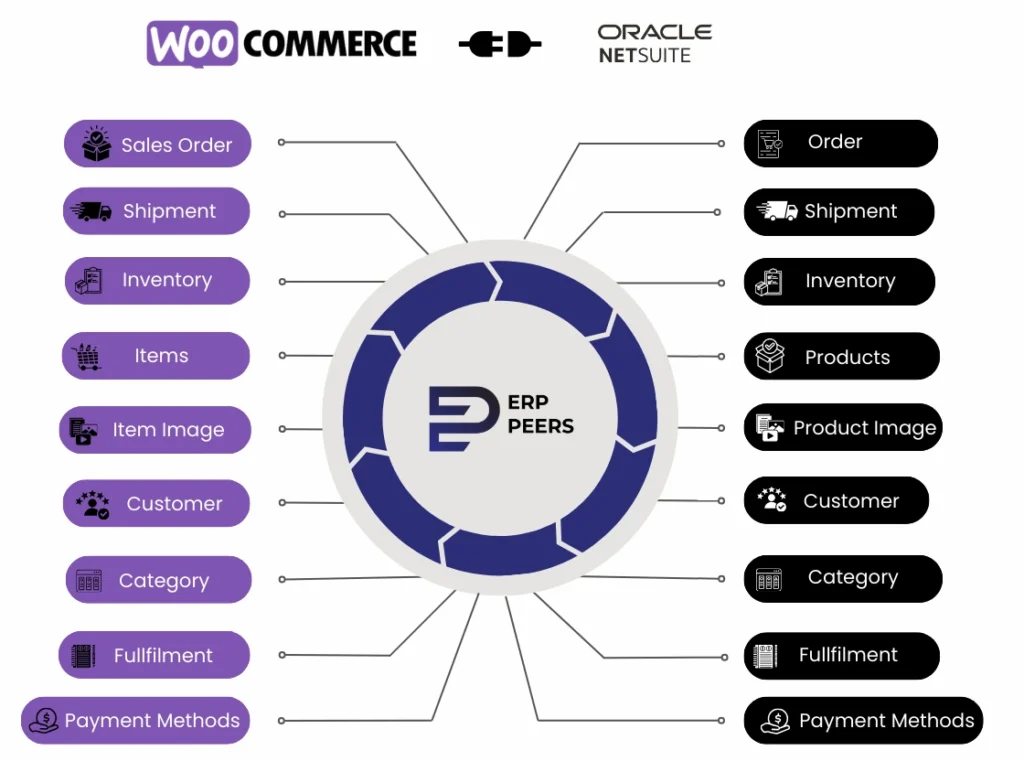
A reliable integration begins with a clear data model. Not every field needs to sync in both directions, and not every object needs real-time updates. Define the system of record for each domain before choosing a connector.
| Data Object | Typical Direction | Recommended Timing | Key Considerations |
|---|---|---|---|
| Products and variations | ERP to WooCommerce | Scheduled or event-driven | SKU matching, attributes, bundles, kits, matrix items |
| Prices and customer-specific pricing | ERP to WooCommerce | Scheduled or near real-time | Currency, tax inclusivity, B2B tiers, promotional overrides |
| Inventory and stock locations | ERP to WooCommerce | Near real-time | Reservations, safety stock, backorders, multi-warehouse rules |
| Orders | WooCommerce to ERP | Real-time or near real-time | Idempotency, payment status, fraud checks, order edits |
| Customers and addresses | Bi-directional with rules | Event-driven | Consent, credit terms, tax IDs, account hierarchy |
| Payments, refunds, and fees | WooCommerce to ERP | Per transaction | Gateway fees, partial refunds, gift cards, subscriptions |
| Shipments and tracking | ERP to WooCommerce | Event-driven | Partial shipments, split orders, carrier mappings |
| Returns and credit memos | Bi-directional | Event-driven | RMA reasons, restocking fees, inventory disposition |
| Tax calculations | Tax engine or ERP to WooCommerce | Per transaction | Nexus, exemptions, VAT, reverse charge rules |
The timing column reflects risk, not preference. Inventory and orders need near real-time sync because stale data causes overselling or delayed fulfillment. Products and prices can tolerate scheduled syncs because a few hours of lag rarely breaks a transaction — unless you run frequent promotions or B2B contract pricing, in which case tighten the interval.
The most common failure point is not the API connection itself. It is unclear ownership. If WooCommerce and the ERP both update stock, for example, each system can overwrite the other and create phantom inventory. Assign a master system for products, inventory, customers, and financial postings, then document which fields are read-only in each platform.
---
Source: webkul.com
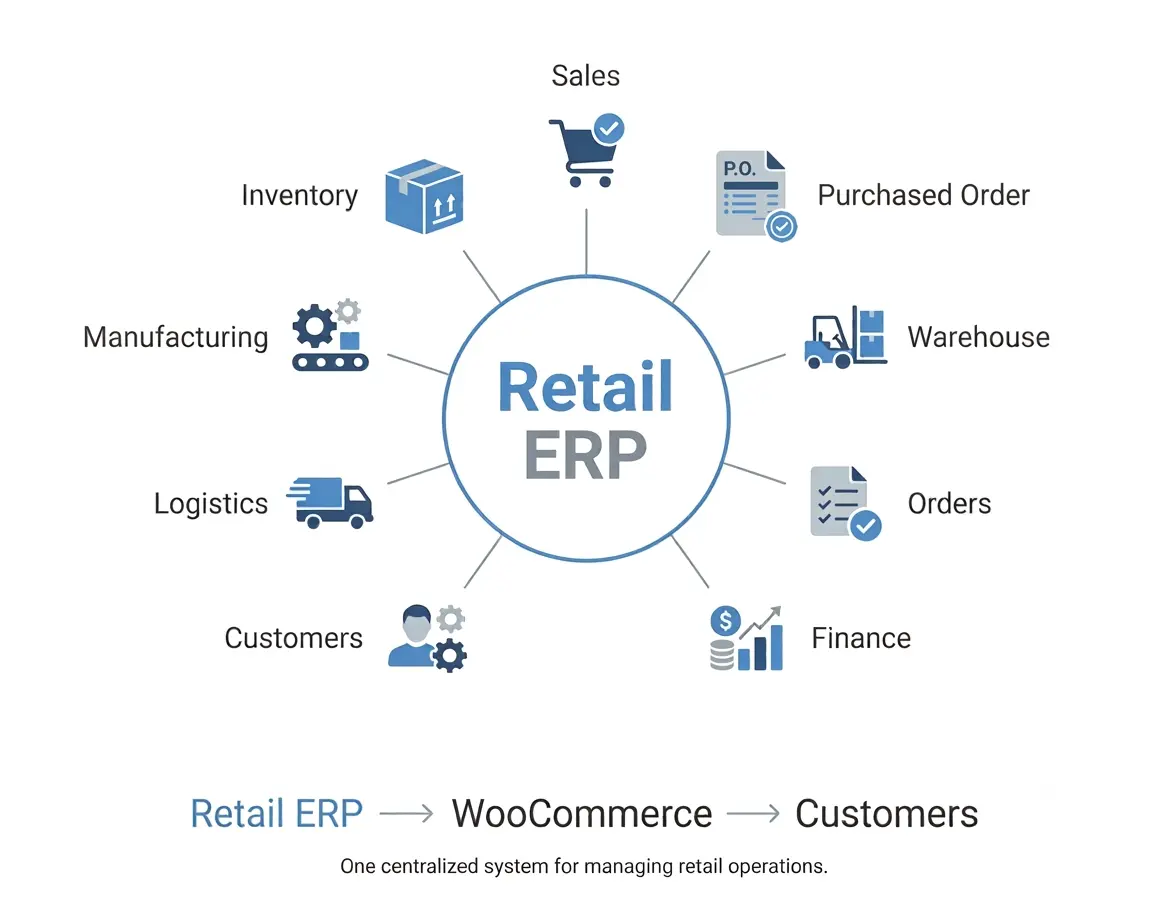
Integration Architecture Options for WooCommerce and ERP
There is no single best WooCommerce ERP integration architecture. The right choice depends on ERP version, transaction volume, customization, internal technical capacity, and tolerance for latency. Each option below connects back to the data model above — the architecture determines how reliably those flows execute.
Native Connectors and Plugins
Native connectors are commercial plugins or ERP-provided modules that map WooCommerce objects to ERP records. They are often the fastest path for common combinations, especially Odoo and QuickBooks Online. A good connector includes field mapping, order status rules, inventory sync, logging, and a retry queue. A weak connector may handle simple products but struggle with variations, bundles, multi-currency orders, refunds, or custom ERP fields.
Evaluate native connectors by asking:
- Which ERP edition and version does it support?
- How does it handle product variations, kits, and custom fields?
- Does it support partial payments, refunds, and partial shipments?
- What happens when the ERP is unavailable?
- Can errors be reviewed and replayed without developer involvement?
- Is the connector maintained actively, and what is the support model?
Middleware and iPaaS
Middleware platforms sit between WooCommerce and the ERP. They receive WooCommerce webhooks, transform data, apply business rules, and call ERP APIs. This approach is often best for multi-system environments, because the same platform can connect the ERP to marketplaces, POS systems, payment processors, and logistics providers.
Middleware adds cost and another system to monitor, but it usually improves observability. You can inspect failed jobs, replay messages, throttle API calls, and separate storefront changes from ERP changes. For NetSuite, SAP, and customized Odoo deployments, middleware is frequently the most maintainable option.
Custom API Integration
A custom integration uses the WooCommerce REST API, WooCommerce webhooks, and the ERP's API or import framework. Custom code offers precise control over mapping, validation, and performance. It also creates long-term ownership obligations: documentation, monitoring, security updates, and error handling must be maintained.
Custom integration makes sense when business rules are genuinely unusual, when data volume or latency requirements exceed connector capabilities, or when the ERP has a well-defined API and the organization has in-house engineering support.
Hybrid Approach
Many successful deployments combine approaches. A native connector may handle product and inventory sync, while middleware manages orders, payments, and returns. Or a custom service may handle high-volume order ingestion while the ERP's native tools manage financial posting. The goal is not architectural purity. The goal is reliable data flow with clear ownership and recoverable failures.
---
ERP-Specific Integration Considerations
Each ERP has different strengths, data models, and integration constraints. The same WooCommerce order can require very different treatment in NetSuite, QuickBooks, SAP, or Odoo. The sections below build on the data-flow model above — each ERP imposes its own rules on how those objects are created, matched, and posted.
NetSuite Integration with WooCommerce
NetSuite is common among wholesalers, distributors, and multichannel retailers that need multi-entity accounting, inventory locations, fulfillment, and revenue recognition. It is a strong fit for WooCommerce businesses moving into B2B or complex fulfillment.
Integration usually occurs through SuiteTalk, REST web services, SuiteScript, or a middleware platform. Key considerations include:
- Subsidiaries and currencies. Orders must map to the correct subsidiary, currency, tax code, and customer record.
- Inventory locations. WooCommerce may expose a single stock figure, while NetSuite tracks locations, bins, and transfer orders. Decide which location or allocation logic the storefront should display.
- Kits and matrix items. Parent-child item relationships, kits, and matrix options need explicit mapping to WooCommerce variations and bundles.
- Fulfillment and invoicing. Decide whether WooCommerce order status should trigger NetSuite sales orders, fulfillments, invoices, or cash sales.
- Custom fields and scripts. NetSuite customizations can affect integration behavior. Validate against sandbox configurations before launch.
NetSuite integrations reward disciplined master data. Item names, SKUs, units of measure, and tax categories should be normalized before the storefront depends on them.
QuickBooks Integration with WooCommerce
QuickBooks is common among small and midsize businesses, but "QuickBooks" can mean QuickBooks Online or QuickBooks Desktop. The distinction matters. QuickBooks Online has a documented API through Intuit, while desktop editions typically require a connector or middleware with supported access methods.
A WooCommerce–QuickBooks integration usually focuses on customers, items, invoices, payments, refunds, and sales tax. Important considerations include:
- Inventory limitations. QuickBooks inventory features vary by edition and plan. Do not assume the accounting system can act as a full warehouse management system.
- Product variations. WooCommerce variations may need to map to separate QuickBooks items or a single item with descriptive detail, depending on reporting needs.
- Payment fees and payouts. Gateway fees, marketplace fees, and payout timing must be mapped so revenue and fees reconcile correctly.
- Refunds and credits. Partial refunds, restocking fees, and returns should create the right credit memo or refund transaction.
- Class and location tracking. If the business uses classes, departments, or locations, define those mappings before order sync begins.
For many small stores, QuickBooks integration is primarily an accounting workflow. The ERP may not be the inventory master. That is acceptable if the storefront and fulfillment systems have a clear stock authority.
SAP Integration with WooCommerce
SAP environments range from SAP Business One to SAP S/4HANA and SAP Business ByDesign. Enterprise SAP integrations are rarely simple plugin installations. They usually involve SAP Integration Suite, OData services, IDocs, BAPIs, or middleware governed by IT and integration architects.
Key considerations include:
- Master data governance. Material masters, customer masters, pricing conditions, plants, storage locations, and sales organizations must be mapped precisely.
- Availability and credit checks. SAP may perform ATP checks or credit checks that WooCommerce cannot replicate on its own. Decide when those checks occur and how failures are shown to shoppers.
- Order and delivery documents. WooCommerce orders may create SAP sales orders, deliveries, invoices, and returns across multiple document types.
- Pricing complexity. SAP pricing procedures can include condition records, discounts, surcharges, and taxes that differ from WooCommerce promotional pricing.
- Change management. SAP changes often require transport management, testing, and approval cycles. Integration design should minimize custom code inside the ERP core.
SAP projects need early involvement from both e-commerce and ERP teams. A connector that works in a demo may fail under real pricing, tax, and authorization rules.
Odoo Integration with WooCommerce
Odoo offers an integrated suite of e-commerce, inventory, accounting, manufacturing, and CRM modules. Its open architecture and API support make WooCommerce integration feasible for many midsize businesses. Odoo's XML-RPC and JSON-RPC APIs, plus marketplace connectors, are commonly used.
Important Odoo considerations include:
- Version and customization. Odoo modules and customizations vary widely between deployments. Confirm connector compatibility with your exact version.
- Inventory valuation. Odoo can use different costing and valuation methods. Ensure stock moves and accounting entries align with WooCommerce order events.
- Multi-company rules. If Odoo manages multiple companies or warehouses, define how WooCommerce orders route to the correct entity.
- Manufacturing and kits. Bundles, kits, and manufactured products may require bill-of-materials logic that a simple product sync does not handle.
- Connector quality. The Odoo ecosystem includes both mature connectors and lightweight modules. Test refunds, cancellations, and partial shipments, not just new orders.
Odoo is often attractive because it can replace several disconnected systems. The integration should respect that breadth rather than treating Odoo as a simple accounting endpoint.
---
How to Plan a WooCommerce ERP Integration
A successful integration is a business process project with an API component, not the reverse. Follow a structured plan, grouped into six phases.
Discovery
1. Define scope and systems of record. List the objects to sync, the master system for each, and the business events that trigger updates.
2. Map data and identifiers. Document SKU rules, customer matching, currency handling, tax codes, order statuses, and warehouse logic. Identify every custom field that matters.
Design
3. Choose the architecture. Select native connector, middleware, custom API, or hybrid based on ERP complexity, volume, and internal support capacity.
4. Design sync rules and error handling. Specify retry behavior, duplicate prevention, dead-letter queues, alerting, and manual review workflows.
Build and test
5. Prototype with real data. Use a representative sample of simple products, variations, bundles, international orders, refunds, and returns. Avoid testing only ideal orders.
6. Run user acceptance testing. Finance, operations, customer service, and warehouse teams should validate their own workflows, not just IT.
Launch and operate
7. Launch in phases. Start with products and inventory, then orders, then payments and returns. Phased launches make failures easier to isolate.
8. Monitor and optimize. Track sync success, latency, duplicate rates, stock accuracy, and reconciliation time after launch.
If your team needs help defining these steps for a specific ERP edition, contact us for a personalized integration plan before committing to a connector or custom build.
---
Critical Sync Rules for Inventory, Orders, and Returns
Most integration problems appear in edge cases. Define rules for the following before launch — these are the specific decisions that the data-flow table and architecture choices above leave unresolved.
Inventory Reservations and Overselling
WooCommerce may show stock that the ERP has already allocated to wholesale orders, marketplace sales, or physical retail. Decide whether the storefront displays available-to-promise inventory, physical stock, or a buffered quantity. Use safety stock rules and reservations where possible.
Order Status and Payment Events
Not every WooCommerce status change should create an ERP transaction. Map statuses deliberately: when an order becomes payable, when payment is captured, when fulfillment begins, and when the order closes. Avoid creating ERP invoices for unpaid or fraudulent orders unless your workflow requires it.
Partial Shipments and Backorders
ERP systems often support partial fulfillment better than storefronts. Define how partial shipments update WooCommerce order status, customer notifications, and tracking data. Backordered items need a clear rule for inventory display and expected shipping dates.
Returns and Refunds
Refunds may originate in WooCommerce, the payment gateway, or the ERP. Choose one authoritative workflow to prevent double credits. Map restocking fees, return reasons, inventory disposition, and credit memos explicitly.
Idempotency and Duplicate Prevention
Networks fail. Webhooks retry. Middleware replays jobs. Every integration should use stable external IDs, idempotency keys, and duplicate checks so the same order does not create two ERP sales orders.
---
Accounting, Tax, and Reconciliation
ERP integration is often judged by how cleanly the books close. Payment gateway fees, shipping income, discounts, gift cards, and refunds must map to the correct general ledger accounts. Multi-currency orders need exchange rate handling that matches ERP policy. Tax engines may calculate tax in WooCommerce while the ERP records the liability; those two views must reconcile.
Build a daily or weekly reconciliation report that compares WooCommerce orders, payment gateway settlements, and ERP postings. Investigate variances by order ID rather than adjusting totals manually. The report should flag missing orders, duplicate transactions, amount mismatches, and refunds not yet posted.
---
Operational Concerns: Security, Performance, and Monitoring
Once the integration is live, three concerns determine whether it stays healthy: protecting data, keeping up with volume, and catching failures before customers do.
Security and Compliance
Protect API credentials with least-privilege access, rotate secrets, and avoid storing tokens in plain text. Use HTTPS, validate webhook signatures where supported, and restrict integration users to the minimum ERP permissions required. Log payloads carefully: customer data, addresses, and payment references may be subject to privacy regulations.
Performance
Performance planning matters for large catalogs and high order volume. Use batch processing for product and inventory updates, queue real-time order events, respect ERP API rate limits, and monitor latency. Do not let a slow ERP response block WooCommerce checkout unless the business requirement truly demands synchronous confirmation.
KPIs and Post-Launch Monitoring
Track integration health with operational metrics:
- Order sync success rate and average latency
- Inventory accuracy between WooCommerce and the ERP
- Duplicate transaction rate
- Refund and return posting accuracy
- Reconciliation time at month-end
- Error backlog and mean time to resolution
- Fulfillment cycle time after order release
Review these metrics weekly during the first month, then monthly. Integration quality tends to drift when catalog rules, tax policies, or warehouse processes change.
---
Common Pitfalls to Watch For
- Treating WooCommerce as the inventory master by default. Assign stock authority deliberately.
- Ignoring product variations and bundles. These are common sources of mapping errors.
- Hardcoding SKUs or tax codes. Use controlled mappings and validation.
- Skipping retry and alerting. Silent failures damage trust quickly.
- Syncing every field. Excessive updates create noise and rate-limit pressure.
- Testing only happy-path orders. Include refunds, cancellations, partial shipments, and failed payments.
- Underestimating master data cleanup. Poor ERP data becomes poor storefront data.
- Launching without finance and warehouse sign-off. Technical success is not business success.
---
How to Choose the Right ERP and Integration Partner
Choose the ERP based on operational fit, not storefront convenience. NetSuite suits complex inventory and multi-entity finance. QuickBooks suits simpler accounting workflows. SAP suits large, governed enterprises. Odoo suits integrated midsize operations that value flexibility. The integration partner should understand both the storefront and the ERP's transaction model.
Ask potential partners how they handle idempotency, failed orders, partial refunds, multi-currency, and sandbox testing. A partner who can explain error recovery clearly is usually safer than one who promises a "seamless" connection without discussing edge cases.
---
Frequently Asked Questions
Can WooCommerce integrate with any ERP?
Most modern ERPs can integrate with WooCommerce through APIs, middleware, or connectors. The practical question is effort and maintainability. ERPs with well-documented APIs and stable data models are easier to connect than heavily customized or older systems.
Should I use a plugin or middleware for WooCommerce ERP integration?
Use a plugin when your ERP edition, product model, and order workflow are standard and the connector covers your edge cases. Use middleware when you need multi-system orchestration, strong error handling, or complex mappings. Use custom code only when standard options cannot meet documented business requirements.
How often should inventory sync?
Sync frequency depends on sales velocity and overselling risk. High-volume stores often need near real-time or short-interval updates. Lower-volume stores may operate safely with scheduled syncs plus safety stock buffers. Always define how reservations and backorders affect displayed stock.
How do I prevent overselling between WooCommerce and the ERP?
Assign one inventory master, use available-to-promise logic, maintain safety stock, and reserve stock when orders are accepted. Monitor sync latency and create alerts for stock mismatches.
Is QuickBooks enough as an ERP for WooCommerce?
QuickBooks can be sufficient for accounting-led operations with simple inventory and fulfillment. Businesses with multi-warehouse inventory, complex B2B pricing, manufacturing, or multi-entity consolidation usually need a broader ERP.
How long does a WooCommerce ERP integration take?
Timelines vary widely by ERP, scope, data quality, and customization. A focused accounting integration may launch faster than a multi-warehouse, multi-currency deployment with returns and B2B pricing. Phased delivery reduces risk and shortens time to first value.
---
Conclusion: Build a Reliable WooCommerce–ERP Bridge
Integrating WooCommerce with NetSuite, QuickBooks, SAP, or Odoo is ultimately a data-ownership and process-design exercise. The storefront should deliver a fast buying experience; the ERP should maintain financial and operational control. Between them, clear mappings, idempotent transactions, observable errors, and disciplined testing determine whether the integration reduces work or creates new exceptions.
Each ERP rewards a different discipline. NetSuite rewards master-data rigor. QuickBooks rewards simplicity and honest scoping. SAP rewards governance and early cross-team involvement. Odoo rewards flexibility and version discipline. But in every case, the integration succeeds or fails on the same thing: unambiguous ownership rules and a design that assumes failure will happen.
Start with the data objects that cause the most pain today — usually inventory, orders, and refunds — then expand in phases. Whether you run a growing QuickBooks storefront or a multi-entity NetSuite operation, a tailored plan beats a generic connector. Contact us for a personalized integration plan and map your WooCommerce–ERP workflow against your actual catalog, fulfillment, tax, and accounting requirements.
0 comments:
Post a Comment