Custom WooCommerce plugin development makes business sense when your store's revenue model, pricing rules, or operational workflows don't fit what existing extensions can deliver. For entrepreneurs, e-commerce businesses, and professional teams running serious storefronts, the ten cases that most consistently justify the investment are:
- Recurring revenue programs
- B2B wholesale selling
- Product configurators
- Multi-vendor marketplaces
- Booking and rental systems
- ERP and CRM integration
- Custom checkout and payment flows
- Loyalty and referral engines
- Delivery and logistics logic
- Operational reporting dashboards
Each one solves a problem that generic plugins either handle partially or handle badly — and each one has a direct line to revenue, margin, or labor cost.
This concise guide breaks down all ten cases, explains who they fit, and gives you a five-question test for deciding between custom development and existing tools before you commit a budget. Learn more about our plugin development services at the end.
Source: themeisle.com
Custom vs. Off-the-Shelf: The Real Trade-offs in E-commerce Business Solutions
WooCommerce is one of the most widely adopted e-commerce platforms in the world, and its extension ecosystem is enormous. That's a strength — until your business model sits outside the assumptions those extensions were built on. A subscription plugin assumes simple renewal cycles. A wholesale plugin assumes a single pricing tier structure. A booking plugin assumes fixed time slots. The moment your model deviates, you start stacking plugins, workarounds, and manual processes on top of each other.
Custom plugin development reverses that pattern. Instead of adapting your business to available tools, you build a focused plugin that encodes exactly how your business operates: your pricing logic, your approval flows, your data relationships, your customer segments.
The trade-offs are real and worth stating plainly:
| Factor | Off-the-shelf extension | Custom plugin |
|---|---|---|
| Time to launch | Days to weeks | Weeks to a few months, depending on scope |
| Upfront cost | Low to moderate | Higher |
| Ongoing licensing | Annual or per-site fees | None (you own the code) |
| Fit with your workflow | Approximate | Exact |
| Plugin conflicts and bloat | Common as stacks grow | Minimal — only what you need |
| Maintenance responsibility | Vendor | You or your development partner |
| Competitive advantage | Available to everyone | Proprietary to your business |
The strongest business case for custom development is not novelty — it's the cost of manual workarounds. Every hour your team spends reconciling orders, re-keying data into an ERP, or applying discounts by hand is a recurring expense that compounds. A custom plugin converts that recurring cost into a one-time build.

Source: wisdmlabs.com
The Top 10 Business Cases for Custom WooCommerce Plugin Development
Source: woocommerce.com
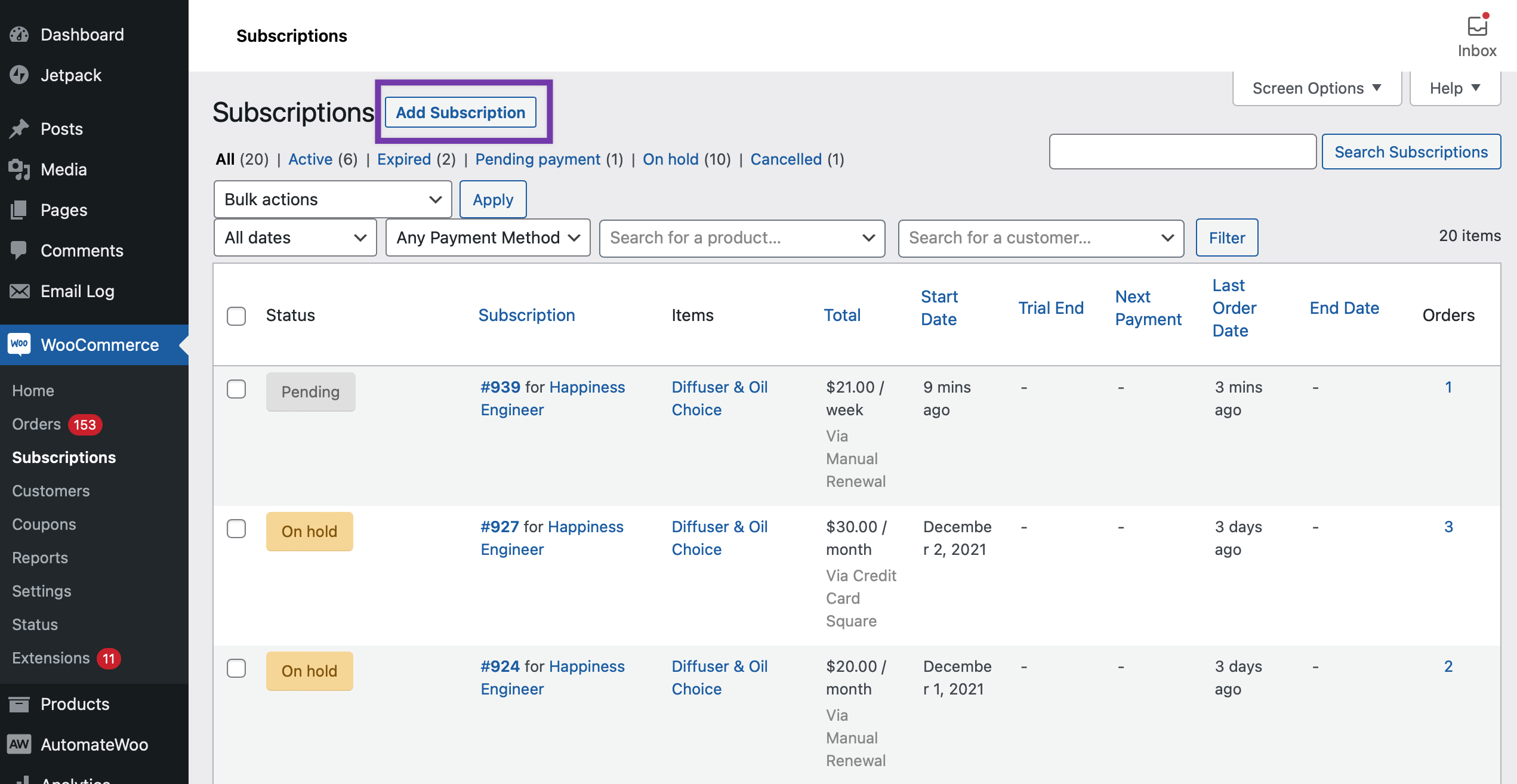
1. Recurring Revenue: Subscriptions, Memberships, and Payment Plans
Recurring revenue is the foundation of predictable growth, and retail subscription models have expanded well beyond media and software into coffee, supplements, pet care, razors, and industrial consumables. Off-the-shelf subscription extensions cover the basics, but they often fail at the edges: mid-cycle plan changes, usage-based billing, proration rules specific to your contracts, prepaid installment plans, or membership tiers that unlock both content and pricing.
A custom plugin lets you define renewal logic precisely, control how failed payments are retried and communicated, and connect subscription status to pricing, shipping, and account permissions. For businesses selling consumables, the payoff shows up in retention and lifetime value — recurring customers generally cost less to keep than new customers cost to acquire.
Best for: consumable product sellers, membership sites, service businesses with retainers, and any store offering installment or "subscribe and save" options.
2. B2B Wholesale: Tiered Pricing, Quotes, and Net Terms
Selling to businesses is structurally different from selling to consumers. Wholesale buyers expect customer-specific price lists, volume tiers, minimum order quantities, purchase-order numbers on invoices, tax-exempt status, and net-30 terms. Standard WooCommerce pricing is built around a single retail price and immediate payment.
A custom B2B plugin can layer role-based catalogs onto a single store, so a retailer sees one set of prices while a distributor sees another, without maintaining parallel websites. Add quote request workflows with approval routing, credit limits, and order templates, and your sales team stops working inside spreadsheets.
Best for: manufacturers, distributors, and hybrid stores that sell both DTC and wholesale. The business case is usually fast to prove: count the hours your team spends manually generating quotes and adjusting prices each week, multiply by a loaded hourly rate, and compare that annual figure against the build cost.
3. Product Configurators and Made-to-Order Personalization
Configurable products — engraved jewelry, custom furniture, branded apparel, industrial components — carry complex pricing rules. A base price plus material upgrades plus size modifiers plus personalization fees plus rush-order surcharges quickly exceeds what variation-based product setup can represent.
A custom configurator plugin models those dependencies properly: it shows only valid combinations, calculates price changes live, generates a specification summary attached to the order, and pushes the configuration to production or a quoting system. Beyond pricing accuracy, this directly reduces returns — buyers see exactly what they're ordering before checkout.
Best for: made-to-order manufacturers, engraving and personalization businesses, and stores where product attributes interact with each other.
4. Multi-Vendor Marketplaces and Supplier Networks
Marketplaces involve problems single-seller stores never face: splitting payments among vendors, calculating commissions, managing vendor-specific shipping and returns, and giving each seller a dashboard that reflects only their own data. Layering several marketplace plugins together often produces fragile commission logic and performance problems at scale.
A purpose-built marketplace layer gives you control over commission structures that reflect real contracts — category-based rates, tiered payouts, subscription fees for vendors, or hybrid models. It also lets you define who handles fulfillment and returns per vendor, which is where most marketplace operations break down.
Best for: businesses aggregating third-party inventory, franchise networks, and suppliers consolidating into a shared storefront.
5. Booking, Reservations, and Rental Systems
Booking logic is deceptively hard. Availability depends on staff, equipment, location, buffer times, blackout dates, and lead times. Rentals add deposit handling, late fees, damage charges, and return inspection. Generic booking plugins handle the simple case — one resource, fixed duration — and strain under everything else.
Custom development lets you model your actual capacity rules, sync availability with external calendars, and handle deposits and balance payments on separate schedules. For rental businesses, the plugin can track item condition across cycles, which protects margin that would otherwise erode through unrecorded damage.
Best for: equipment rental companies, appointment-based services, venues, and any business where inventory is time-slot based rather than unit based.
6. ERP, CRM, and Accounting Integration
Integration is the most common entry point into custom WooCommerce development — and often the highest-ROI one. When orders, inventory, and customer records live in two systems, someone has to reconcile them. That someone is usually a salaried employee.
A custom integration plugin creates a controlled data pipeline: orders flow to your ERP with the right field mapping, inventory levels sync back in near real time, customer records update in your CRM, and invoices reach your accounting system without manual entry. Done well, it includes retry logic, conflict resolution, and logging so failures are visible instead of silent.
Best for: stores processing meaningful order volume, businesses with physical retail alongside e-commerce, and companies whose finance team still exports CSVs.
7. Custom Checkout Flows and Payment Logic
Checkout is where revenue is won or lost, and it's also where generic plugins pile up. A typical store might run one plugin for payment gateways, another for deposits, another for conditional fields, and another for order delivery scheduling — each adding scripts, database tables, and potential conflicts.
Custom checkout work covers scenarios like split payments between multiple cards, deposits with later balance collection, purchase orders as a payment method, region-specific payment gateways, and conditional checkout fields that appear only when relevant. Every additional step in checkout is friction; a checkout engineered around your actual buying process reduces abandonment and support tickets simultaneously.
Best for: high-ticket sellers, stores with localized payment requirements, and businesses whose buyers need flexibility on how and when they pay.
8. Loyalty, Referral, and Rewards Programs
Points programs are easy to launch and hard to run well. The complexity appears in the rules: how points are earned across categories, how they expire, how they interact with coupons and sales, how referrals are attributed, and how fraud is prevented.
A custom loyalty plugin lets you build an incentive structure that reflects your margins rather than a template's assumptions. You can reward high-margin categories more generously, exclude discounted items, tier benefits by customer lifetime value, and give your marketing team a clean view of which rewards actually change behavior. The business case rests on repeat purchase rate: establish your current 90-day repeat rate before launch, then compare the same cohort window after the program has run for two quarters.
Best for: stores with repeat-purchase potential, beauty and wellness brands, pet and consumable retailers, and businesses with active referral dynamics.
9. Shipping, Delivery, and Fulfillment Logic
Shipping rules get complicated fast: dimensional weight, freight classes, multiple warehouses, local delivery zones, pickup scheduling, free-shipping thresholds that vary by customer group, and surcharges for remote regions. Most stores end up with three or four shipping plugins that each own a fragment of the logic and contradict each other at the edges.
A custom logistics plugin consolidates rate calculation, delivery slot selection, warehouse routing, and tracking into one system that your operations team can reason about. For local delivery and pickup operations — increasingly common for grocery, pharmacy, and hardware — scheduling accuracy is a customer experience issue as much as an operational one.
Best for: multi-warehouse operations, freight-heavy catalogs, local delivery businesses, and stores with complex free-shipping rules.
10. Operational Reporting and Custom Dashboards
WooCommerce's built-in analytics cover standard retail metrics. They don't answer questions like: which warehouse has the highest error rate, which sales rep's accounts are growing, what the true margin is after returns and shipping subsidies, or how long each order stage takes.
A custom reporting plugin pulls those answers into a dashboard your team actually uses, drawing from orders, customers, and external systems. The value isn't the chart — it's the decision speed. Teams that can see fulfillment bottlenecks in real time fix them weeks earlier than teams reviewing monthly exports.
Best for: growing stores where decisions are still made from spreadsheets, and multi-channel operations that need a unified view. If you want to see how this fits alongside other custom work, explore our WooCommerce plugin development services — learn more about our plugin development services and how they support professional e-commerce teams.
How to Decide Between Custom Development and Off-the-Shelf Plugins
If any of the ten cases above resonated, the next question is whether to build or buy. Before committing to a build, run a structured comparison. Start with a requirements list written in business language — not technical language — and test the leading extensions against it honestly.
Choose off-the-shelf when:
- Your requirement matches a common pattern (simple subscriptions, standard shipping zones, basic coupons)
- The gap between the plugin and your needs can be closed with configuration
- Your budget or timeline won't support a build and its ongoing maintenance
- The feature is not competitively important to your business
Choose custom when:
- You're maintaining three or more plugins that don't quite work together
- Staff time is being consumed by manual processes the software should handle
- Your pricing, fulfillment, or contractual logic is a competitive differentiator
- Vendor licensing costs are approaching or exceeding a one-time build
- You need data structures that no existing plugin exposes
The Middle Path: Extend, Don't Rebuild
A third option deserves serious consideration: extend an existing plugin with a lightweight custom add-on rather than rebuilding from scratch. If a vendor plugin covers 80 percent of your requirement and the remaining 20 percent is proprietary logic — a pricing rule, an approval flow, a data sync — a custom add-on that hooks into the vendor's APIs preserves vendor updates while adding your differentiation on top. This approach typically costs less than a full build, carries less maintenance burden, and gets you to launch faster. It's the wrong choice only when the vendor's core architecture actively blocks your requirements.
What a Well-Built Custom Plugin Should Include
Quality of implementation determines whether a custom plugin becomes an asset or a liability. Insist on these standards from any development partner:
| Standard | Why it matters | How to verify |
|---|---|---|
| WordPress coding standards compliance | Future developers can read and extend the code; reduces hidden bugs | Ask for a PHPCS report or review a sample of the codebase |
| High-Performance Order Storage (HPOS) compatibility | WooCommerce is moving to custom order tables; incompatible plugins break on upgrade — see the WooCommerce documentation on HPOS for requirements | Confirm the plugin declares HPOS compatibility and test order operations with HPOS enabled |
| No core file modifications | WooCommerce and WordPress updates remain safe to apply | Search the codebase for edits outside the plugin directory; there should be none |
| Automated tests and a staging environment | Regressions surface before customers see them | Ask for test coverage on core logic and a staging walkthrough before launch |
| Logging and error handling | Failures surface visibly instead of silently corrupting data | Review how the plugin logs sync failures, payment errors, and exceptions |
| Documentation | Configuration, data models, and known limitations are understood by your team, not just the developer | Request docs covering setup, data schema, and limitations as a deliverable |
| A handover plan | You're not locked into one vendor | Confirm repository access, credentials, and license ownership transfer to you |
Following the WordPress Plugin Handbook conventions for structure and security is a reasonable baseline expectation. Input sanitization, output escaping, and nonce verification aren't optional details — they're the difference between a secure plugin and an incident.
Scoping and Budgeting a Custom WooCommerce Plugin Project
Most failed custom projects fail at scoping, not at coding. A disciplined process looks like this:
1. Write the business case in numbers. Quantify hours saved per week, revenue at risk, or conversion gap. These are the same metrics you'll track in the ROI review below — establishing them now gives you a baseline to measure against.
2. Define the minimum viable feature set. Separate "must launch with" from "phase two." Most first releases can be 60 percent of the original wish list.
3. Map data flows explicitly. Which system owns which field? What happens when a sync fails? Unanswered questions here become change requests later.
4. Agree on acceptance criteria. "The plugin works" is not a criterion. "A wholesale order with net-30 terms generates an invoice with the PO number and skips payment capture" is.
5. Plan for maintenance from day one. Budget for updates, WooCommerce version compatibility, and periodic review.
Timelines vary widely with complexity — a focused integration plugin may take a few weeks, while a configurator or marketplace layer can take several months. Treat any estimate that ignores testing, documentation, and post-launch support as incomplete.
If you're weighing a build against a purchase, our team can help you scope a custom WooCommerce plugin against your current plugin stack and workflow costs.
How to Measure ROI on a Custom Plugin
Track four numbers before and after launch: hours of manual work per week, order error rate, conversion rate at the affected step, and revenue per customer segment. A wholesale pricing plugin should move hours and error rate. A configurator should move conversion and returns. A loyalty program should move repeat purchase rate — though usually over a quarter or two, not a week.
If a plugin doesn't move at least one of those numbers within a reasonable window, the problem is usually scope, not code.
Frequently Asked Questions
How long does custom WooCommerce plugin development take?
It depends on scope. A single-purpose plugin — a payment method, a pricing rule, a simple integration — can be delivered in a few weeks. Configurators, marketplace layers, and multi-system integrations typically run several months once discovery, development, testing, and launch support are included. See the Scoping section above for how to keep timelines realistic.
How much does a custom WooCommerce plugin cost?
Cost is driven by complexity, the number of external systems involved, and how much of the logic is genuinely new. The more precise your written requirements, the more accurate the estimate. Compare total cost of ownership against license fees plus staff hours spent on workarounds, not against license fees alone.
Will a custom plugin break when WooCommerce updates?
It can if it's built poorly. Plugins that follow official APIs, avoid core modifications, declare HPOS compatibility, and include automated tests survive updates reliably. Ask any developer how they handle WooCommerce major releases before you sign.
Can one custom plugin replace several paid extensions?
Often, yes — particularly in checkout, shipping, and pricing, where stores typically stack overlapping tools. Consolidation reduces conflicts and license spend, but only if the custom plugin covers the edge cases the existing extensions handled.
Do I still need a developer after launch?
Yes, at minimum for maintenance. WooCommerce, WordPress, and PHP all evolve. A maintenance arrangement covering compatibility updates, security review, and small enhancements is standard practice for any business-critical plugin.
Should I build custom or buy existing?
Buy when your requirement is common and configuration closes the gap. Build when your requirement is a competitive differentiator, when existing tools force manual work, or when licensing and workaround costs exceed a one-time build. The decision framework above walks through the criteria.
Conclusion
Custom WooCommerce plugin development earns its cost when it removes friction that generic tools can't reach: pricing logic that reflects real contracts, checkout flows that match how your customers actually buy, integrations that end manual data entry, and dashboards that surface decisions before they become problems. For entrepreneurs and e-commerce businesses alike, the smart play is to start with the case that has the clearest number attached — usually manual hours or conversion loss — and scope tightly from there.
If you're ready to evaluate whether a custom plugin is the right investment for your store, talk to our WooCommerce development team about your requirements, current plugin stack, and the workflow you'd like to eliminate. Learn more about our plugin development services and how a professional build can turn your operational friction into a competitive edge.
Suggested image alt text: "Developer reviewing a custom WooCommerce plugin dashboard showing wholesale pricing tiers and order sync status."woocommerce plugin, custom development, e-commerce businesses, recurring revenue programs, ERP integration
0 comments:
Post a Comment