That distinction matters because of where WordPress risk actually concentrates. Core is maintained by a large, well-resourced security team and updates automatically on most managed hosts. Plugins are different: written by thousands of independent authors, sold through marketplaces with varying review standards, bundled with third-party libraries, and granted the same database access and file system permissions as the core application. Public vulnerability disclosures consistently attribute the large majority of WordPress ecosystem vulnerabilities to plugins rather than core - and most business-critical sites run a dozen or more of them.
Source: seceon.com
Why Plugin Risk Is Structural, Not Accidental
Plugin risk is not the result of a few careless developers. It is built into how the WordPress economy works.
- Plugins run with full application trust. A plugin can read the database, write files, make outbound HTTP requests, register admin pages, and hook into authentication. There is no meaningful sandbox.
- Maintenance is uneven. Many popular plugins are maintained by one or two people, sometimes as a side project. Abandonment is common and often invisible until something breaks.
- Bundled libraries age silently. A plugin's own code may be clean while the copy of a JavaScript or PHP library inside it is years out of date.
- Features expand the attack surface. Page builders, form handlers, membership systems, and e-commerce extensions accept user input by design - which is exactly where injection, authorization, and file-upload flaws live.
- Updates create change risk. Agencies delay plugin updates because a client site might break. That delay is a documented exposure window if anyone ever asks.
For a US agency, the practical consequence is that plugin management is a governance function, not a maintenance chore. It needs an owner, a process, and records.

Source: www.troopmessenger.com
The Compliance Context US Agencies Cannot Ignore
A plugin security audit performed for a US agency is rarely a pure security exercise. It usually sits inside a client's regulatory or contractual obligation. The specific framework determines what evidence you must produce - not just whether the site is "secure."
Source: veza.com
Where Security and Compliance Obligations Usually Come From
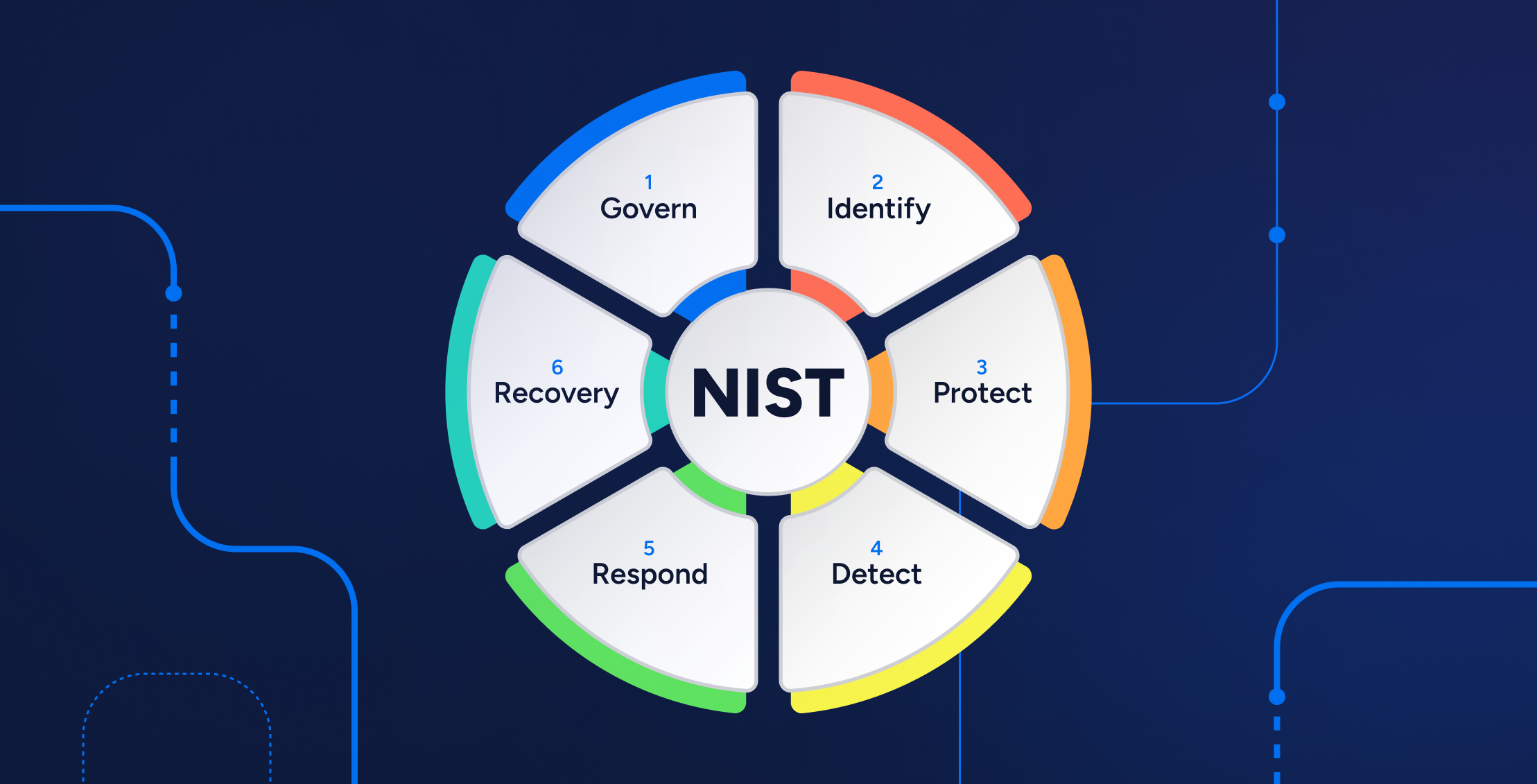
Federal civilian and defense clients. NIST SP 800-53 controls and, for contractors handling controlled unclassified information, NIST SP 800-171 drive requirements around configuration management, flaw remediation, and supply chain risk. Defense industrial base clients increasingly map these to CMMC. Even when a WordPress site is not itself in scope, it often sits on the same domain, network, or brand and becomes part of the assessment boundary.
State, local, and education (SLED) clients. Procurement questionnaires, state security baselines, and FERPA obligations for student data all translate into questions about who has administrative access and how third-party code is reviewed. Many state contracts now require a software bill of materials or an equivalent inventory.
Healthcare-adjacent clients. Any plugin that touches a form, scheduling tool, or patient portal on a site serving a HIPAA-covered entity needs a documented review of what data it collects and where it transmits it. Marketing pixels and chat widgets inside plugins are a frequent, avoidable exposure.
Law enforcement and tax information. CJIS and IRS Publication 1075 requirements reach further than most agencies expect, and third-party JavaScript and plugin telemetry are common findings.
Accessibility mandates. For federal agencies and many recipients of federal funding, Section 508 and WCAG 2.2 conformance are legal obligations. Plugins that render public-facing UI - sliders, accordions, modals, form controls - are a leading cause of conformance failures.
Mapping Frameworks to Audit Evidence
Across these frameworks, six evidence categories recur. A single plugin audit, documented properly, can satisfy all six - which is why agencies that treat them as separate projects end up producing the same evidence three times.
| Obligation area | What the client must show | What a plugin audit should deliver |
|---|---|---|
| Configuration management | Approved software baseline, change control | Full plugin inventory, version pinning policy, change log |
| Flaw remediation | Defined timelines for patching by severity | Vulnerability register with severity-based SLAs and closure dates |
| Supply chain risk | Due diligence on third-party components | Maintainer assessment, dependency review, abandonment screening |
| Least privilege | Role and capability controls | Capability audit, admin role review, plugin-level permission findings |
| Data protection | Knowledge of data flows | Plugin data-flow map, external endpoint inventory, telemetry review |
| Accessibility | Conformance testing evidence | Public-facing plugin UI testing against WCAG 2.2 |
What a Plugin Security Audit Actually Covers
Scope discipline separates a professional security audit from a plugin checklist. A credible audit has five workstreams.
Workstream 1: Inventory and Software Bill of Materials
You cannot assess what you have not enumerated. The inventory must capture every installed plugin - including inactive ones, must-use plugins, and plugins bundled inside a theme - across every environment: production, staging, and any lingering development copy on a public host. Inactive plugins are not dormant; their files remain executable and their vulnerabilities remain exploitable if a route is reachable.
The inventory should also record plugins that were removed but left database tables behind, since orphaned tables and options frequently retain sensitive data or legacy endpoints.
Workstream 2: Static Code Review
For custom or modified plugins, and for any third-party plugin carrying elevated risk, review the code directly. Automated scanning tools catch patterns quickly, but the findings that matter in a formal audit usually require a human reading the authorization logic. The WordPress plugin handbook's security guidance is the baseline against which code should be judged.
Workstream 3: Dependency and Third-Party Library Analysis
Identify bundled libraries and their versions, then compare against known vulnerabilities. This is where CISA's Known Exploited Vulnerabilities catalog and public vulnerability databases such as WPScan and Patchstack earn their place in the workflow. The OWASP Top 10 provides the language for classifying what you find.
Workstream 4: Dynamic Testing and Configuration Review
Static review misses behavior. Dynamic testing should exercise plugin endpoints as a low-privilege user and as an unauthenticated visitor, checking whether nonces, capability checks, and permission callbacks actually work. Configuration review then examines what the plugin enables by default - file editing, XML-RPC, debug logging, public REST endpoints that expose user lists.
Workstream 5: Access, Update, and Lifecycle Governance
Finally, the audit examines the human systems: who can install plugins, whether auto-updates are enabled selectively or globally, how updates are tested, how long a client site can run an outdated plugin before escalation, and whether anyone receives vulnerability alerts.
Building a Plugin Inventory and Risk Register
The inventory is the audit's backbone and the artifact auditors ask for first. Build it once, maintain it continuously, and populate it with enough detail that it answers procurement questions without a follow-up.
| Field | Why it matters |
|---|---|
| Plugin name, slug, version | Baseline identification; matches against vulnerability databases |
| Source and license | Distinguishes repository, premium marketplace, and custom code |
| Status (active, inactive, must-use) | Reachability and exposure assessment |
| Maintainer | Single-maintainer plugins carry abandonment risk |
| Last updated date | Staleness indicator |
| Bundled libraries and versions | Dependency vulnerability surface |
| Data handled | Drives data-protection and HIPAA/FERPA analysis |
| External endpoints called | Third-party data transmission, privacy review |
| Admin capabilities required | Least-privilege assessment |
| Public-facing UI components | Accessibility testing scope |
| Risk rating and owner | Accountability and remediation prioritization |
The first three fields and "Data handled" are load-bearing - no auditor will accept an inventory without them. The remainder can be phased in as the register matures.
Score each plugin on two axes: exposure (public-facing, authenticated, or admin-only) and criticality (business function dependency). A public-facing form handler with a single maintainer and no update in two years is a different conversation than an admin-only utility with a large, active team.
The Code-Level Checklist Auditors Actually Use
Most plugin vulnerabilities in published databases cluster into a predictable set of categories. Reviewing for these patterns, in this order, covers the majority of real-world exposure.
Authorization and Authentication
- Does every AJAX action (
wp_ajax_<em>) and REST route have a permission_callback that actually verifies capability?- Are nonces verified for state-changing requests, not just present in the form markup?
- Are capability checks applied per object, or only globally - the classic "any logged-in user can edit any record" flaw?
- Are administrative functions reachable via direct file access or query parameters?
Input Handling
- Is every superglobal sanitized against an explicit expected type before use?
- Are array inputs validated structurally, not just element by element?
- Are file uploads restricted by extension, MIME type, and storage location outside the web root where feasible?
Output Handling
- Is every value escaped at the point of rendering with the context-appropriate function (
esc_html, esc_attr, esc_url, wp_kses_post)?- Are admin notices and settings-page fields escaped, or do they reflect stored input back into HTML?
Database Access
- Are all queries using
$wpdb->prepare() with placeholders?- Are table names, column names, and
ORDER BY clauses validated against allowlists rather than concatenated?Server-Side Request Handling
- Do plugins accept arbitrary URLs for image import, webhooks, or "fetch remote content" features without SSRF protections?
- Is deserialization of untrusted data avoided or at least gated?
Secrets and Telemetry
- Are API keys stored in code, hardcoded in JavaScript, or exposed via unauthenticated endpoints?
- Does the plugin phone home with site data, user information, or content, and is that disclosed?
A finding without a reproduction step is an opinion. Every item in the report should include the file, the function, the condition required to exploit it, and the observed impact.
Supply Chain and Maintainer Due Diligence
Code review tells you what a plugin does today. Maintainer assessment tells you what it will cost you tomorrow.
Screen for abandonment signals: no release in over a year, unresolved support threads on security topics, a repository marked closed, or a sudden ownership change. Plugin ownership transfers are a known risk vector, because a new owner inherits every install. When a plugin changes hands, treat it as a new plugin and re-review.
Screen for distribution risk: nulled or "free premium" copies are prohibited without exception in any agency environment, because the distribution channel is the attack. Premium plugins bought outside official licensing channels are the same problem with better packaging.
Screen for single-point-of-failure dependency: if five client sites depend on one plugin maintained by one person with no commercial backing, document a contingency. That contingency is often "find a replacement and schedule migration," which is cheaper to plan than to execute during an incident.
Runtime Controls That Reduce Plugin Risk
Beyond reviewing the code and the vendor, the environment a plugin runs in shapes the exposure window between disclosure and exploitation. Hosting and platform controls do not substitute for an audit, but they materially shrink that window.
- Managed auto-updates for minor plugin releases, with a controlled manual path for majors and a tested rollback.
- Virtual patching at the WAF layer so disclosed plugin vulnerabilities can be blocked before the vendor ships a fix.
- File integrity monitoring on plugin and theme directories to catch unauthorized modifications.
- Least-privilege roles, including a review of who holds administrator access and whether plugin-specific capabilities are over-granted.
- Disabling the built-in plugin and theme file editor and restricting direct PHP execution in upload directories.
- Current PHP and database versions, since older runtimes turn moderate plugin flaws into critical ones.
- Staged rollout - staging first, production second, with a documented exception process when a client refuses a window.
One caution: security plugins are themselves plugins. A site running three overlapping security suites has three additional attack surfaces and three sets of conflicting rules. Audit them like any other third-party code.
Patch SLAs and Vulnerability Management
Agencies get asked one question more than any other: how fast do you patch? The answer must be a table, not a promise.
| Severity | Description | Target remediation | Escalation |
|---|---|---|---|
| Critical | Active exploitation observed, or unauthenticated remote code execution | 24–72 hours, or virtual patch immediately | Notify client contact and account lead same day |
| High | Exploitable with authentication, or data exposure | 7 days | Client notified within one business day |
| Medium | Requires specific configuration or chained conditions | 30 days | Included in next scheduled cycle |
| Low | Hardening, information disclosure | 90 days, or at next major update | Logged only |
Two operational details make the SLA real rather than aspirational:
- Virtual patching counts as remediation for the duration of the vendor's delay, provided it is documented.
- Every exception expires - a deferred update needs an end date, an owner, and a stated reason, or it quietly becomes permanent.
Monitoring feeds should include the WordPress.org vulnerability API, WPScan alerts, Patchstack, and the CISA KEV catalog. If a client's compliance framework requires continuous monitoring, the alert subscription is the control; document who receives it and what they do.
Evidence and Documentation: Passing an Agency Review
The audit report is the deliverable that survives. Structure it so a non-technical procurement officer can read the executive summary and a technical reviewer can verify the findings.
Each report should contain:
1. Scope statement - sites, environments, plugin count, exclusions, and date range.
2. Methodology - standards applied, tools used, manual review coverage, and known limitations.
3. Plugin inventory as an appendix, with risk ratings.
4. Findings register with severity, affected versions, reproduction steps, and business impact.
5. Remediation plan with owners, dates, and acceptance criteria.
6. Compliance mapping connecting findings to the client's specific framework controls.
7. Retest results confirming closure, dated and signed.
Retesting is the step agencies most often skip and auditors most often request. A finding marked "resolved" without a retest is an assertion; a retest note is evidence.
Common Failure Modes in Agency Plugin Audits
Auditing production only. Staging and legacy environments host identical vulnerable code with weaker monitoring.
Ignoring inactive plugins. Files remain on disk and routes remain reachable.
Treating the vulnerability scanner as the audit. Scanners report version matches. They do not evaluate custom code, capability logic, or business impact.
No owner for remediation. Findings without a named owner and a date do not get fixed.
Skipping the data-flow question. A plugin can be free of code flaws and still transmit user data to a third party in a way the client's privacy notice does not cover. For public-sector clients, that is often the finding that matters most.
Assuming the plugin vendor will notify you. They usually publish and move on. The agency inherits the obligation to notice.
Operationalizing the Audit
Running the audit is the easy part. Keeping it current is where agencies either build a repeatable practice or repeat the same scramble every year.
1. Define the boundary. Which sites, which environments, which compliance frameworks, and which client stakeholder signs off. Get the framework documented in writing before review starts, because it determines evidence depth.
2. Enumerate everything. Pull plugin lists from each environment, including must-use plugins and orphans left by removed plugins. Reconcile against billing records and license inventories to catch shadow installs.
3. Classify by exposure and criticality. Build the risk register and agree on the priority tier that receives full code review versus configuration review only.
4. Review code and dependencies for the priority tier, and run configuration and permission checks across the full estate.
5. Report and remediate. Deliver the findings register, agree SLAs, assign owners, and schedule the retest before the engagement closes.
6. Operationalize. Convert the inventory into a maintained asset, subscribe to vulnerability feeds, set the patch calendar, and define what triggers a re-audit - major plugin upgrades, ownership changes, new client onboarding, or a framework change.
Agencies that run step six well typically extend the interval between full audits, because continuous inventory and monitoring replace the annual panic. For a deeper operational checklist, see our WordPress hardening guide.
Frequently Asked Questions
How often should a WordPress plugin security audit be performed?
Annually at minimum for regulated or public-sector clients, plus event-driven audits triggered by a major plugin release, a plugin ownership change, a new client site entering the portfolio, or a disclosed vulnerability in a plugin you run. High-exposure sites benefit from a quarterly configuration review between full audits.
Does an audit require source code access for premium plugins?
Yes, for any plugin in the priority tier. If a vendor will not provide readable source or a third-party security attestation, that refusal is itself a risk finding and should be documented and accepted formally by the client.
Can a site pass an audit with vulnerable plugins installed if they are inactive?
Generally no, and the reasoning is straightforward: inactive plugin files remain on the server, and historically a meaningful share of exploited plugin vulnerabilities have been reachable without the plugin being active. Remove rather than deactivate.
What is the difference between a vulnerability scan and a plugin security audit?
A scan compares version numbers against a database. An audit reviews code logic, authorization design, dependency composition, configuration, maintainer health, data flows, and the governance process around all of it. Scans are an input to audits, not a replacement.
How do plugin audits support accessibility compliance?
Public-facing plugin output - carousels, accordions, modals, form controls, icon fonts - is a frequent source of WCAG 2.2 failures. Testing those components during the audit lets you resolve security and accessibility findings in a single remediation cycle instead of two.
Bringing It Together
Plugin security is where WordPress risk concentrates, and for US agencies it is also where compliance evidence is easiest to get wrong. The essentials are unglamorous: know every plugin you run, understand what each one can reach, review the code that handles input and authorization, screen the people who maintain it, patch on a written schedule, and keep records that survive a change of account manager. Do those things and a client audit becomes a matter of producing documentation you already have. Skip them and the same request becomes an incident response.
If your agency manages client sites under NIST, CMMC, HIPAA, FERPA, or Section 508 obligations, a structured plugin security audit is the fastest path from uncertainty to defensible evidence. Contact us for a security audit - we will scope the estate, deliver a prioritized findings register mapped to your client's framework, and retest to closure.
0 comments:
Post a Comment