Hiring a WordPress plugin developer in the USA is a decision that affects your site's security, performance, and revenue for years. Get it right, and you gain a secure, standards-compliant plugin that survives every WordPress core update. Get it wrong, and you inherit a fragile custom plugin that breaks checkout, corrupts data, or exposes customer records the next time PHP or WooCommerce changes. This guide gives business owners and website managers a practical hiring checklist, the red flags that should end a conversation early, and clear hiring tips on cost, contracts, and ownership — so you can choose a developer with confidence.
Jump to a section:
- Why the Hiring Decision Carries More Risk
- What a Plugin Developer Actually Does
- Types of WordPress Plugin Developers in the US Market
- The Complete Hiring Checklist
- Interview Questions and Red Flags
- What It Costs
- Where to Find Developers
- After You Choose: Trials, Handover, and Maintenance
- Legal and Tax Essentials
- FAQ
---
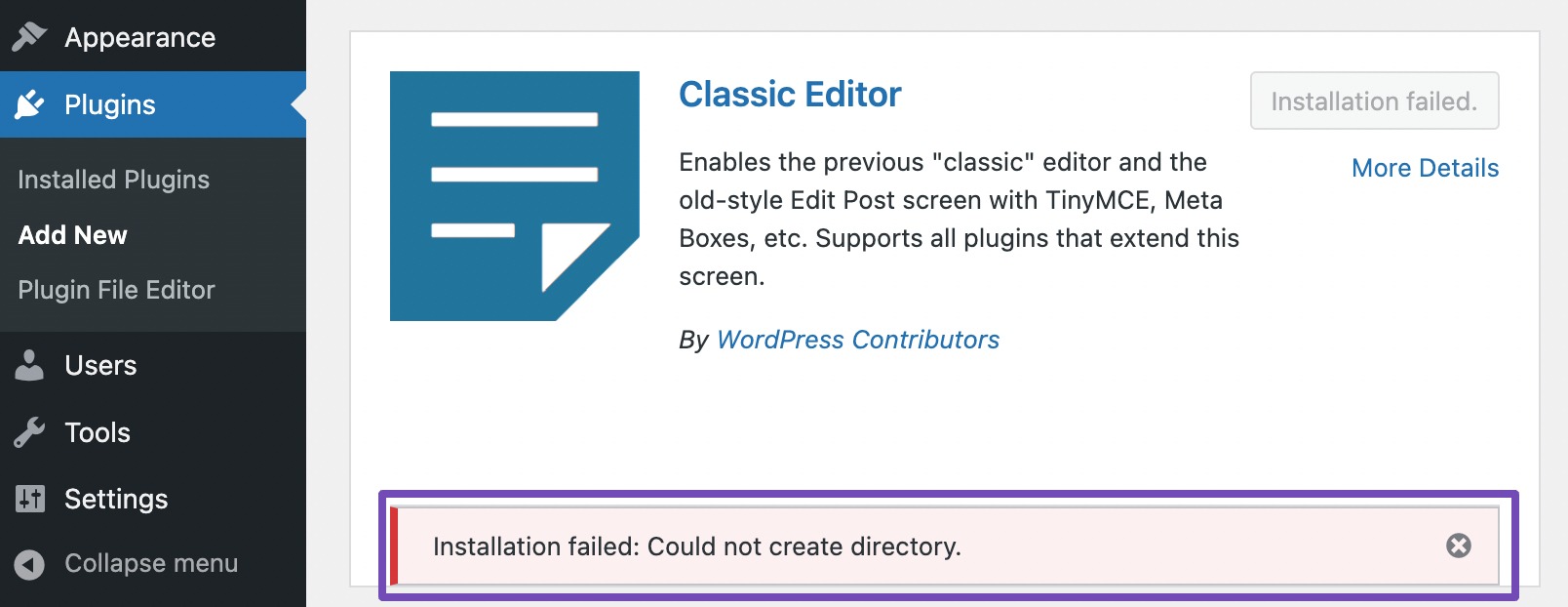
Source: rankmath.com
A theme or landing page can be redesigned. A plugin sits inside the machinery of your site and touches everything: checkout flows, user accounts, API integrations, tax logic, licensing, and customer data.
When a custom plugin fails, the damage is rarely cosmetic. Common failure modes include:
- Fatal errors after a WordPress core update that take your entire site offline.
- Silent data corruption in custom database tables that is only discovered months later.
- Security vulnerabilities that expose customer records or hand an attacker administrative access.
- Performance collapse from unindexed database queries running on every page load.
- Vendor lock-in where the original developer disappears and no one else can safely modify the code.
Because plugins are business logic, the cost of a bad hire is usually measured in lost revenue and emergency remediation — not in a redesign invoice. That asymmetry is why the vetting process below is deliberately rigorous.
---
A plugin developer is not the same as a general WordPress freelancer who installs themes and configures page builders. The distinction matters when you write your job description and screen candidates.

Source: kinsta.com
A capable plugin developer works directly with the WordPress codebase and its APIs:
- PHP as the primary language, written against the WordPress PHP Coding Standards.
- Hooks and filters — actions and filters that integrate cleanly with core, other plugins, and themes instead of modifying core files.
- The Settings API, REST API, and admin UI patterns for building configuration screens that behave like native WordPress.
- Database design using
- JavaScript and block development for Gutenberg blocks, the Block Editor, and modern admin interfaces built with React-based tooling.
- Security fundamentals — nonces, capability checks, sanitization, escaping, and prepared statements, following the WordPress plugin security guidelines.
- Internationalization so strings can be translated, and accessibility so the admin UI works with screen readers.
- Automated testing using PHPUnit and the WordPress test suite, plus debugging with
In practice, a plugin developer spends most of their time deciding where logic belongs — in a hook, a REST endpoint, a cron job, or a custom table — and then writing code that other developers can safely extend. That architectural judgment is what separates a senior plugin engineer from someone who can only follow a tutorial.
| Work Type | Typical Owner | Primary Skill | Risk If Done Poorly |
|---|---|---|---|
| Theme customization | Theme developer | CSS, template hierarchy | Visual only |
| Site building | Web designer | Page builders, plugins | Slow site, messy content |
| Plugin configuration | Site manager | Plugin settings | Feature gaps |
| Custom plugin development | Plugin developer | PHP, WordPress APIs, security | Site downtime, data loss, breaches |
| WooCommerce extension work | Specialist developer | WooCommerce hooks, payment flows | Broken checkout, lost sales |
If your project involves money changing hands, personally identifiable information, or a workflow no existing plugin handles well, you need the fourth or fifth row — not the third.
---
Not all plugin developers are interchangeable. Matching the provider type to your project's complexity and risk profile is the first decision that determines whether the engagement succeeds.
Best for: Well-scoped plugins with clear requirements, iterative feature work, ongoing retainers.
Strong US freelancers typically have public GitHub profiles, contributions to the WordPress.org plugin repository, or WordCamp speaking history. You get direct communication and lower overhead, but you also carry the risk of a single point of failure if they get busy or move on.
Best for: Complex products, plugin businesses, integrations with multiple third-party systems, projects needing QA and project management.
Agencies cost more per hour but deliver process: code review, staging environments, testing, documentation, and a support structure that outlives any one employee.
Best for: Extending an existing commercial plugin (WooCommerce, MemberPress, Gravity Forms, LearnDash) where deep domain knowledge of that plugin's hooks matters more than general WordPress skill.
Best for: Companies with an in-house team that needs extra senior capacity for a defined period, or that want to evaluate a developer before a full-time offer.
Best for: Small, tightly scoped tasks where you can evaluate the deliverable immediately.
Platforms compress the search process, but they also compress the signal. Reviews can be gamed, and the lowest bidder is rarely the best choice for anything touching your revenue.
Hiring domestically is not automatically better — plenty of exceptional plugin developers work outside the United States. But US-based hiring solves specific practical problems:
- Overlapping working hours. A developer in your time zone can join a live incident call when your checkout breaks on a Tuesday afternoon.
- Communication precision. Plugin specifications are full of nuance. Native or near-native English fluency reduces costly misunderstandings in written specs and code comments.
- Contract enforceability. US contracts, IP assignment clauses, and NDAs are easier to enforce against a US-based contractor.
- Tax and payment simplicity. US contractors complete a W-9, receive a 1099, and invoice in dollars — no currency conversion, no foreign withholding questions.
- Compliance familiarity. Developers familiar with CCPA, state privacy laws, HIPAA-adjacent requirements, and ADA/WCAG expectations build for them by default.
- Verifiable references. You can call previous US clients directly and get a candid assessment.
The trade-off is cost. If budget is the primary constraint, an experienced non-US developer with strong references can be an excellent choice — provided your contract, IP assignment, and communication cadence are airtight.
---
Work through these eight steps in order. Skipping the earlier ones is the most common reason businesses end up replacing a developer mid-project.
Vague requirements produce vague estimates, and vague estimates produce disputes. Before you contact anyone, write a one-to-two-page specification covering:
- The business problem the plugin solves and how you will measure success.
- User roles and permissions — who sees and does what.
- Data model — what gets stored, where, and for how long.
- Integrations — payment gateways, CRMs, email platforms, ERPs, shipping APIs.
- Admin experience — what your team needs to configure without developer help.
- Edge cases — refunds, cancellations, partial failures, expired licenses.
- Must-haves versus nice-to-haves, clearly separated.
A developer who does not ask clarifying questions about this document is a red flag. Strong developers interrogate requirements; weak ones accept whatever you say and bill you later for the confusion.
Ask for evidence, not assurances. A senior plugin developer should be able to show:
- Public code on GitHub or in the WordPress.org plugin directory.
- Familiarity with the WordPress Developer Resources and core contribution history.
- Experience with version control workflows (Git branches, pull requests, code review).
- Comfort with staging environments and database migration between environments.
- Understanding of how WordPress handles updates, and how their code avoids breaking when core changes.
A polished admin screenshot proves nothing. Ask for a code sample — ideally a small plugin or a module from a larger one — and have someone technical review it, or review it yourself against these markers:
- Functions and classes are prefixed or namespaced to avoid collisions.
- Output is escaped, input is sanitized, and database queries use prepared statements.
- No
- Text strings are wrapped in translation functions.
- Hooks are used instead of editing core or theme files.
- Comments explain why, not just what.
Security is where cheap plugin work becomes expensive. Confirm the developer can describe, in plain language:
- How they prevent SQL injection, cross-site scripting, and cross-site request forgery.
- How they handle file uploads, if relevant.
- How they store API keys and secrets — never hardcoded, never committed to Git.
- Their process for dependency vulnerabilities in third-party libraries.
- Whether they have read the OWASP Top Ten and how it maps to WordPress.
A plugin that works on a staging site with twelve products may collapse on production with twelve thousand. Ask:
- What database queries does the plugin run, and on which page loads?
- Are queries indexed, cached, or batched?
- Does the plugin enqueue assets only where needed?
- How will it behave under traffic spikes or with a caching layer?
- What happens with large datasets — pagination, background processing, cron jobs?
Undocumented custom plugins become unmaintainable within eighteen months. Require:
- A test plan covering happy paths, edge cases, and failure modes.
- Automated tests where the complexity justifies them.
- A staging deployment before anything touches production.
- Written documentation: installation, configuration, hooks available for extension, and a changelog.
- A defined acceptance process so "done" has a shared definition.
This is the step businesses most often skip. Do not.
- IP assignment: The contract must state that all code and documentation created for the project becomes your property upon final payment.
- Third-party licenses: If the developer uses GPL, MIT, or commercial libraries, you need to know which and whether they carry obligations. WordPress itself is GPL, which affects how plugins are distributed.
- Confidentiality: An NDA covering your data model, customer data, and business logic.
- Scope and change orders: A written process for out-of-scope requests, with hourly rates.
- Warranty period: A defined window — commonly 30 to 90 days — during which bugs are fixed at no charge.
- Support terms: What happens after launch, at what cost, and with what response time.
Ask how they will work with you week to week:
- Which channel: email, Slack, project management tool, scheduled calls?
- What is the update cadence, and in what format?
- How do they flag risks and delays — early, or after the deadline passes?
- Who is your single point of contact?
---
Use this table to calibrate your screen. The "why it matters" column tells you what each question is really testing.
| Question | What a Strong Answer Includes | Why It Matters |
|---|---|---|
| How do you decide between a custom plugin and an existing solution? | Honest assessment of build-versus-buy trade-offs, including maintenance cost | Tests whether they'll upsell you or advise you honestly |
| Walk me through how you'd add a custom REST endpoint. |
| How do you handle a plugin conflict in production? | Staging reproduction, disabling plugins systematically, logging, rollback plan | Reveals debugging discipline and incident experience |
| What's your approach to database changes across environments? | Migration scripts,
| How do you keep a plugin secure over time? | Dependency monitoring, security review, least privilege, nonce and capability checks | Security is a process, not a one-time task |
| Describe a plugin you built that you're proud of. | Specific architecture decisions and trade-offs, not just a feature list | Distinguishes engineers from implementers |
| What would you do differently on your last project? | Genuine self-critique — a signal of seniority | Junior developers rarely admit trade-offs |
Walk away — or at minimum, dig much deeper — if you encounter any of these. They cluster into three themes.
Code and technical red flags:
- No code samples of any kind. "I'll show you after we sign" is a deflection, not a policy.
- "We can't share the code, it's proprietary." Your code should be your code.
- Vague answers about security. If they cannot name nonces, capability checks, and prepared statements, they are not building secure WordPress code.
- Editing core files or the theme's
- No staging environment and no version control. Direct-to-production edits mean no rollback.
- Promises to "make it work with any theme and any plugin." That is not how WordPress compatibility works, and claiming it signals inexperience.
Contract and commercial red flags:
- Reluctance to sign a contract or NDA. Especially common with developers who plan to resell the same plugin to competitors.
- Pressure to pay the full amount upfront. Standard practice is milestone-based or a deposit plus delivery payments.
- Pricing far below market with no explanation. Sustainable work costs money; a suspiciously low bid usually means a template, a junior subcontractor, or an abandoned project.
- Unwillingness to document the work. Refusal to document is often leverage — it makes them hard to replace.
Communication and reference red flags:
- No references, or references you cannot contact.
- Ignoring your accessibility or privacy requirements rather than asking questions about them.
- Extremely fast turnaround on a complex spec. Real estimation takes time.
---
US rates vary widely by region, specialization, and engagement type. As a general market reference — not a quote — independent US plugin developers commonly bill in the range of roughly $60 to $150 per hour, while specialized agencies and senior engineers with deep WooCommerce or SaaS experience often bill higher. Fixed-price project quotes frequently range from a few thousand dollars for a simple utility plugin to five figures and beyond for a full commercial plugin product with licensing, updates, and support infrastructure.
| Provider Type | Typical Billing Model | Best Suited To |
|---|---|---|
| Junior freelancer | $30–$60/hr | Simple, low-risk utility plugins |
| Mid-level freelancer | $60–$100/hr | Standard custom plugins, integrations |
| Senior freelancer | $100–$150/hr | Complex logic, WooCommerce, security-critical work |
| Boutique agency | $125–$200+/hr | Product-grade plugins with QA and PM |
| Staff augmentation | Monthly retainer | Sustained in-house capacity |
Three budget realities are worth accepting up front:
1. Cheap plugin work usually gets rewritten. If the first build is unsafe or unstructured, you pay twice.
2. Maintenance is a line item, not an extra. WordPress core, PHP versions, and dependency libraries all change. Budget annually.
3. Estimates should be ranges with assumptions. A single fixed number on a complex spec is a warning sign in itself.
---
- WordPress.org plugin repository — browse plugins in your niche, then contact the authors.
- WordCamps and local WordPress meetups — the highest-signal networking channel in this community.
- Make WordPress Slack — the official contributor channels, where serious developers participate.
- GitHub — search for WordPress-related repositories and review commit history.
- Specialist job boards and vetted freelance platforms with technical screening.
- Agencies listed in WordPress-focused directories with verified client references.
- LinkedIn, using searches that combine "WordPress" with specific technologies like "Gutenberg," "WooCommerce," or "REST API."
Whichever channel you use, the same rule applies: verify through code and references, not through profiles and testimonials.
---
Once you've narrowed the field, don't commit to a full build immediately. A small paid trial de-risks the decision, and a structured handover protects it.
Commission a small paid test — a few hundred dollars, not free work. Good trial projects:
- Add a single settings page using the WordPress Settings API.
- Register a custom post type and a related REST endpoint.
- Fix a documented bug in an existing plugin.
- Write a small integration that pushes order data to an external API.
Evaluate the trial on communication, code quality, adherence to standards, and whether they delivered what was asked — including the small details. A developer who ignores your naming conventions on a $400 task will ignore them on a $40,000 one.
The project does not end at launch. Plan for these before you sign:
- Repository access. You own or have admin rights to the Git repository from day one.
- Documentation handover. Architecture overview, configuration guide, and known limitations.
- Deployment process. Documented steps, with a rollback procedure.
- Monitoring. Error logging and uptime or performance monitoring tied to the plugin.
- Update policy. Who applies WordPress core, PHP, and dependency updates, and how the plugin is tested against them.
- Support agreement. A retainer or hourly arrangement for post-warranty work.
If you would rather not manage a solo contractor through all of this, working with an established WordPress development team or a managed WordPress maintenance provider shifts that operational burden off your plate.
---
- Written agreement. Always. Verbal scopes are unenforceable in practice.
- W-9 for US contractors, with a 1099-NEC issued at year end if payments reach the reporting threshold.
- W-8BEN for non-US contractors, plus clarity on withholding and applicable tax treaties.
- IP assignment clause, effective on final payment.
- Liability cap and indemnification, particularly for security incidents.
- Data processing terms if the developer will access customer data — specify access limits, retention, and deletion.
- Acceptance criteria, so payment obligations are tied to measurable delivery.
- Hiring on price alone and paying for a rewrite six months later.
- Skipping the specification and expecting the developer to read your mind.
- Choosing a developer who has never built a plugin, because they were available.
- Ignoring the maintenance question until something breaks.
- Failing to secure IP rights in writing.
- Bundling the plugin, theme, and hosting decisions into one undifferentiated contract.
- Judging candidates by their marketing site rather than their repository.
---
It depends entirely on scope. A focused utility plugin with one or two admin screens can be delivered in one to three weeks. A plugin with external API integrations, licensing, and complex admin workflows typically takes one to three months. Commercial-grade plugin products with update servers and support infrastructure run longer, and should be built in phases.
Yes, and many businesses do successfully. The practical requirements are a written contract with clear IP assignment, a documented communication cadence with overlapping hours, milestone-based payments, and a technical reviewer on your side who can assess code quality. The main trade-offs are time zone friction and reduced legal enforceability.
Buy first, build second. If an existing plugin covers 80 percent of your need and has a healthy update history, extending it is usually cheaper and safer. Custom development makes sense when your requirement is core to your competitive advantage, when no plugin handles your workflow, or when plugin bloat is hurting performance.
Whoever the contract says — which is why the contract must say you do. Without an explicit IP assignment clause, ownership can default to the developer. Ensure the agreement assigns all work product to you upon final payment, and clarify the treatment of GPL-licensed components.
Treat maintenance as a recurring annual cost, not a one-time expense. Budget for compatibility testing with each major WordPress and PHP release, dependency updates, security reviews, and a defined number of support hours. Many businesses set aside a fixed monthly retainer, which is usually cheaper than emergency remediation.
This is exactly why you secure repository access, documentation requirements, and milestone-based payments from the start. With code in your own repository and documented architecture, another qualified developer can pick up the work. Without those safeguards, you may be paying for the same work twice.
---
If you remember one thing from this guide, make it this: the only trustworthy evidence of a plugin developer's ability is code you can read and clients you can call. Everything else — portfolios, testimonials, polished proposals — is marketing.
The practical sequence is short. Spec first. Code review second. Contract third. Paid trial fourth. Then handover, documentation, and a maintenance plan that outlives the launch.
Follow this hiring checklist, screen for the red flags above, and apply these hiring tips consistently, and you end up with a WordPress plugin developer who delivers a plugin that supports your business for years — instead of a liability you have to replace.
Ready to find a developer who meets this standard? Subscribe Now for our weekly breakdown of vetted US-based WordPress talent, or contact us for a consultation — we'll review your spec and give you an honest read on build-versus-buy before you spend a dollar.wordpress plugin developer, plugin development, wordpress security, hire developer, us market
Jump to a section:
- Why the Hiring Decision Carries More Risk
- What a Plugin Developer Actually Does
- Types of WordPress Plugin Developers in the US Market
- The Complete Hiring Checklist
- Interview Questions and Red Flags
- What It Costs
- Where to Find Developers
- After You Choose: Trials, Handover, and Maintenance
- Legal and Tax Essentials
- FAQ
---
Source: rankmath.com
Why Hiring a WordPress Plugin Developer Carries More Risk Than Most Website Projects
A theme or landing page can be redesigned. A plugin sits inside the machinery of your site and touches everything: checkout flows, user accounts, API integrations, tax logic, licensing, and customer data.
When a custom plugin fails, the damage is rarely cosmetic. Common failure modes include:
- Fatal errors after a WordPress core update that take your entire site offline.
- Silent data corruption in custom database tables that is only discovered months later.
- Security vulnerabilities that expose customer records or hand an attacker administrative access.
- Performance collapse from unindexed database queries running on every page load.
- Vendor lock-in where the original developer disappears and no one else can safely modify the code.
Because plugins are business logic, the cost of a bad hire is usually measured in lost revenue and emergency remediation — not in a redesign invoice. That asymmetry is why the vetting process below is deliberately rigorous.
---
What a WordPress Plugin Developer Actually Does
A plugin developer is not the same as a general WordPress freelancer who installs themes and configures page builders. The distinction matters when you write your job description and screen candidates.
Source: kinsta.com
Core Technical Responsibilities of a Plugin Developer
A capable plugin developer works directly with the WordPress codebase and its APIs:
- PHP as the primary language, written against the WordPress PHP Coding Standards.
- Hooks and filters — actions and filters that integrate cleanly with core, other plugins, and themes instead of modifying core files.
- The Settings API, REST API, and admin UI patterns for building configuration screens that behave like native WordPress.
- Database design using
$wpdb and dbDelta(), with proper custom tables, indexes, and sanitized queries.- JavaScript and block development for Gutenberg blocks, the Block Editor, and modern admin interfaces built with React-based tooling.
- Security fundamentals — nonces, capability checks, sanitization, escaping, and prepared statements, following the WordPress plugin security guidelines.
- Internationalization so strings can be translated, and accessibility so the admin UI works with screen readers.
- Automated testing using PHPUnit and the WordPress test suite, plus debugging with
WP_DEBUG and Query Monitor.In practice, a plugin developer spends most of their time deciding where logic belongs — in a hook, a REST endpoint, a cron job, or a custom table — and then writing code that other developers can safely extend. That architectural judgment is what separates a senior plugin engineer from someone who can only follow a tutorial.
Where Plugin Work Differs From Site Work
| Work Type | Typical Owner | Primary Skill | Risk If Done Poorly |
|---|---|---|---|
| Theme customization | Theme developer | CSS, template hierarchy | Visual only |
| Site building | Web designer | Page builders, plugins | Slow site, messy content |
| Plugin configuration | Site manager | Plugin settings | Feature gaps |
| Custom plugin development | Plugin developer | PHP, WordPress APIs, security | Site downtime, data loss, breaches |
| WooCommerce extension work | Specialist developer | WooCommerce hooks, payment flows | Broken checkout, lost sales |
If your project involves money changing hands, personally identifiable information, or a workflow no existing plugin handles well, you need the fourth or fifth row — not the third.
---
The Main Types of WordPress Plugin Developers in the US Market
Not all plugin developers are interchangeable. Matching the provider type to your project's complexity and risk profile is the first decision that determines whether the engagement succeeds.
Independent Freelancers
Best for: Well-scoped plugins with clear requirements, iterative feature work, ongoing retainers.
Strong US freelancers typically have public GitHub profiles, contributions to the WordPress.org plugin repository, or WordCamp speaking history. You get direct communication and lower overhead, but you also carry the risk of a single point of failure if they get busy or move on.
Boutique Development Agencies
Best for: Complex products, plugin businesses, integrations with multiple third-party systems, projects needing QA and project management.
Agencies cost more per hour but deliver process: code review, staging environments, testing, documentation, and a support structure that outlives any one employee.
Plugin Shops and Product Companies
Best for: Extending an existing commercial plugin (WooCommerce, MemberPress, Gravity Forms, LearnDash) where deep domain knowledge of that plugin's hooks matters more than general WordPress skill.
Staff Augmentation and Contract-to-Hire
Best for: Companies with an in-house team that needs extra senior capacity for a defined period, or that want to evaluate a developer before a full-time offer.
Marketplace and Freelance Platform Talent
Best for: Small, tightly scoped tasks where you can evaluate the deliverable immediately.
Platforms compress the search process, but they also compress the signal. Reviews can be gamed, and the lowest bidder is rarely the best choice for anything touching your revenue.
Why Many US Businesses Prioritize US-Based Developers
Hiring domestically is not automatically better — plenty of exceptional plugin developers work outside the United States. But US-based hiring solves specific practical problems:
- Overlapping working hours. A developer in your time zone can join a live incident call when your checkout breaks on a Tuesday afternoon.
- Communication precision. Plugin specifications are full of nuance. Native or near-native English fluency reduces costly misunderstandings in written specs and code comments.
- Contract enforceability. US contracts, IP assignment clauses, and NDAs are easier to enforce against a US-based contractor.
- Tax and payment simplicity. US contractors complete a W-9, receive a 1099, and invoice in dollars — no currency conversion, no foreign withholding questions.
- Compliance familiarity. Developers familiar with CCPA, state privacy laws, HIPAA-adjacent requirements, and ADA/WCAG expectations build for them by default.
- Verifiable references. You can call previous US clients directly and get a candid assessment.
The trade-off is cost. If budget is the primary constraint, an experienced non-US developer with strong references can be an excellent choice — provided your contract, IP assignment, and communication cadence are airtight.
---
The Complete Hiring Checklist for a WordPress Plugin Developer
Work through these eight steps in order. Skipping the earlier ones is the most common reason businesses end up replacing a developer mid-project.
1. Define the Plugin Before You Define the Job Post
Vague requirements produce vague estimates, and vague estimates produce disputes. Before you contact anyone, write a one-to-two-page specification covering:
- The business problem the plugin solves and how you will measure success.
- User roles and permissions — who sees and does what.
- Data model — what gets stored, where, and for how long.
- Integrations — payment gateways, CRMs, email platforms, ERPs, shipping APIs.
- Admin experience — what your team needs to configure without developer help.
- Edge cases — refunds, cancellations, partial failures, expired licenses.
- Must-haves versus nice-to-haves, clearly separated.
A developer who does not ask clarifying questions about this document is a red flag. Strong developers interrogate requirements; weak ones accept whatever you say and bill you later for the confusion.
2. Verify Technical Fundamentals
Ask for evidence, not assurances. A senior plugin developer should be able to show:
- Public code on GitHub or in the WordPress.org plugin directory.
- Familiarity with the WordPress Developer Resources and core contribution history.
- Experience with version control workflows (Git branches, pull requests, code review).
- Comfort with staging environments and database migration between environments.
- Understanding of how WordPress handles updates, and how their code avoids breaking when core changes.
3. Review Real Code, Not Just Portfolio Screenshots
A polished admin screenshot proves nothing. Ask for a code sample — ideally a small plugin or a module from a larger one — and have someone technical review it, or review it yourself against these markers:
- Functions and classes are prefixed or namespaced to avoid collisions.
- Output is escaped, input is sanitized, and database queries use prepared statements.
- No
eval(), no base64-obfuscated code, no remote code execution patterns.- Text strings are wrapped in translation functions.
- Hooks are used instead of editing core or theme files.
- Comments explain why, not just what.
4. Interrogate Security and Data Handling
Security is where cheap plugin work becomes expensive. Confirm the developer can describe, in plain language:
- How they prevent SQL injection, cross-site scripting, and cross-site request forgery.
- How they handle file uploads, if relevant.
- How they store API keys and secrets — never hardcoded, never committed to Git.
- Their process for dependency vulnerabilities in third-party libraries.
- Whether they have read the OWASP Top Ten and how it maps to WordPress.
5. Test Performance and Scalability Claims
A plugin that works on a staging site with twelve products may collapse on production with twelve thousand. Ask:
- What database queries does the plugin run, and on which page loads?
- Are queries indexed, cached, or batched?
- Does the plugin enqueue assets only where needed?
- How will it behave under traffic spikes or with a caching layer?
- What happens with large datasets — pagination, background processing, cron jobs?
6. Insist on Testing, QA, and Documentation
Undocumented custom plugins become unmaintainable within eighteen months. Require:
- A test plan covering happy paths, edge cases, and failure modes.
- Automated tests where the complexity justifies them.
- A staging deployment before anything touches production.
- Written documentation: installation, configuration, hooks available for extension, and a changelog.
- A defined acceptance process so "done" has a shared definition.
7. Nail Down Ownership, Licensing, and Contracts
This is the step businesses most often skip. Do not.
- IP assignment: The contract must state that all code and documentation created for the project becomes your property upon final payment.
- Third-party licenses: If the developer uses GPL, MIT, or commercial libraries, you need to know which and whether they carry obligations. WordPress itself is GPL, which affects how plugins are distributed.
- Confidentiality: An NDA covering your data model, customer data, and business logic.
- Scope and change orders: A written process for out-of-scope requests, with hourly rates.
- Warranty period: A defined window — commonly 30 to 90 days — during which bugs are fixed at no charge.
- Support terms: What happens after launch, at what cost, and with what response time.
8. Confirm Communication and Project Management Fit
Ask how they will work with you week to week:
- Which channel: email, Slack, project management tool, scheduled calls?
- What is the update cadence, and in what format?
- How do they flag risks and delays — early, or after the deadline passes?
- Who is your single point of contact?
---
Interview Questions and What Strong Answers Sound Like
Use this table to calibrate your screen. The "why it matters" column tells you what each question is really testing.
| Question | What a Strong Answer Includes | Why It Matters |
|---|---|---|
| How do you decide between a custom plugin and an existing solution? | Honest assessment of build-versus-buy trade-offs, including maintenance cost | Tests whether they'll upsell you or advise you honestly |
| Walk me through how you'd add a custom REST endpoint. |
register_rest_route(), permission callbacks, schema validation, sanitization | Confirms real API fluency, not tutorial familiarity || How do you handle a plugin conflict in production? | Staging reproduction, disabling plugins systematically, logging, rollback plan | Reveals debugging discipline and incident experience |
| What's your approach to database changes across environments? | Migration scripts,
dbDelta(), versioned schema, backup before deploy | Plugin data loss usually happens here || How do you keep a plugin secure over time? | Dependency monitoring, security review, least privilege, nonce and capability checks | Security is a process, not a one-time task |
| Describe a plugin you built that you're proud of. | Specific architecture decisions and trade-offs, not just a feature list | Distinguishes engineers from implementers |
| What would you do differently on your last project? | Genuine self-critique — a signal of seniority | Junior developers rarely admit trade-offs |
Red Flags That Should End the Conversation
Walk away — or at minimum, dig much deeper — if you encounter any of these. They cluster into three themes.
Code and technical red flags:
- No code samples of any kind. "I'll show you after we sign" is a deflection, not a policy.
- "We can't share the code, it's proprietary." Your code should be your code.
- Vague answers about security. If they cannot name nonces, capability checks, and prepared statements, they are not building secure WordPress code.
- Editing core files or the theme's
functions.php to add plugin functionality. This is a fundamental architectural error.- No staging environment and no version control. Direct-to-production edits mean no rollback.
- Promises to "make it work with any theme and any plugin." That is not how WordPress compatibility works, and claiming it signals inexperience.
Contract and commercial red flags:
- Reluctance to sign a contract or NDA. Especially common with developers who plan to resell the same plugin to competitors.
- Pressure to pay the full amount upfront. Standard practice is milestone-based or a deposit plus delivery payments.
- Pricing far below market with no explanation. Sustainable work costs money; a suspiciously low bid usually means a template, a junior subcontractor, or an abandoned project.
- Unwillingness to document the work. Refusal to document is often leverage — it makes them hard to replace.
Communication and reference red flags:
- No references, or references you cannot contact.
- Ignoring your accessibility or privacy requirements rather than asking questions about them.
- Extremely fast turnaround on a complex spec. Real estimation takes time.
---
What It Costs to Hire a WordPress Plugin Developer in the USA
US rates vary widely by region, specialization, and engagement type. As a general market reference — not a quote — independent US plugin developers commonly bill in the range of roughly $60 to $150 per hour, while specialized agencies and senior engineers with deep WooCommerce or SaaS experience often bill higher. Fixed-price project quotes frequently range from a few thousand dollars for a simple utility plugin to five figures and beyond for a full commercial plugin product with licensing, updates, and support infrastructure.
| Provider Type | Typical Billing Model | Best Suited To |
|---|---|---|
| Junior freelancer | $30–$60/hr | Simple, low-risk utility plugins |
| Mid-level freelancer | $60–$100/hr | Standard custom plugins, integrations |
| Senior freelancer | $100–$150/hr | Complex logic, WooCommerce, security-critical work |
| Boutique agency | $125–$200+/hr | Product-grade plugins with QA and PM |
| Staff augmentation | Monthly retainer | Sustained in-house capacity |
Three budget realities are worth accepting up front:
1. Cheap plugin work usually gets rewritten. If the first build is unsafe or unstructured, you pay twice.
2. Maintenance is a line item, not an extra. WordPress core, PHP versions, and dependency libraries all change. Budget annually.
3. Estimates should be ranges with assumptions. A single fixed number on a complex spec is a warning sign in itself.
---
Where to Find Qualified US-Based Plugin Developers
- WordPress.org plugin repository — browse plugins in your niche, then contact the authors.
- WordCamps and local WordPress meetups — the highest-signal networking channel in this community.
- Make WordPress Slack — the official contributor channels, where serious developers participate.
- GitHub — search for WordPress-related repositories and review commit history.
- Specialist job boards and vetted freelance platforms with technical screening.
- Agencies listed in WordPress-focused directories with verified client references.
- LinkedIn, using searches that combine "WordPress" with specific technologies like "Gutenberg," "WooCommerce," or "REST API."
Whichever channel you use, the same rule applies: verify through code and references, not through profiles and testimonials.
---
After You Choose: Trials, Onboarding, Handover, and Long-Term Maintenance
Once you've narrowed the field, don't commit to a full build immediately. A small paid trial de-risks the decision, and a structured handover protects it.
Using a Paid Trial Project to Reduce Risk
Commission a small paid test — a few hundred dollars, not free work. Good trial projects:
- Add a single settings page using the WordPress Settings API.
- Register a custom post type and a related REST endpoint.
- Fix a documented bug in an existing plugin.
- Write a small integration that pushes order data to an external API.
Evaluate the trial on communication, code quality, adherence to standards, and whether they delivered what was asked — including the small details. A developer who ignores your naming conventions on a $400 task will ignore them on a $40,000 one.
Onboarding and Handover Essentials
The project does not end at launch. Plan for these before you sign:
- Repository access. You own or have admin rights to the Git repository from day one.
- Documentation handover. Architecture overview, configuration guide, and known limitations.
- Deployment process. Documented steps, with a rollback procedure.
- Monitoring. Error logging and uptime or performance monitoring tied to the plugin.
- Update policy. Who applies WordPress core, PHP, and dependency updates, and how the plugin is tested against them.
- Support agreement. A retainer or hourly arrangement for post-warranty work.
If you would rather not manage a solo contractor through all of this, working with an established WordPress development team or a managed WordPress maintenance provider shifts that operational burden off your plate.
---
Legal and Tax Essentials for US Clients
- Written agreement. Always. Verbal scopes are unenforceable in practice.
- W-9 for US contractors, with a 1099-NEC issued at year end if payments reach the reporting threshold.
- W-8BEN for non-US contractors, plus clarity on withholding and applicable tax treaties.
- IP assignment clause, effective on final payment.
- Liability cap and indemnification, particularly for security incidents.
- Data processing terms if the developer will access customer data — specify access limits, retention, and deletion.
- Acceptance criteria, so payment obligations are tied to measurable delivery.
Common Hiring Mistakes to Avoid
- Hiring on price alone and paying for a rewrite six months later.
- Skipping the specification and expecting the developer to read your mind.
- Choosing a developer who has never built a plugin, because they were available.
- Ignoring the maintenance question until something breaks.
- Failing to secure IP rights in writing.
- Bundling the plugin, theme, and hosting decisions into one undifferentiated contract.
- Judging candidates by their marketing site rather than their repository.
---
Frequently Asked Questions
How long does it take to build a custom WordPress plugin?
It depends entirely on scope. A focused utility plugin with one or two admin screens can be delivered in one to three weeks. A plugin with external API integrations, licensing, and complex admin workflows typically takes one to three months. Commercial-grade plugin products with update servers and support infrastructure run longer, and should be built in phases.
Can I hire a plugin developer outside the United States?
Yes, and many businesses do successfully. The practical requirements are a written contract with clear IP assignment, a documented communication cadence with overlapping hours, milestone-based payments, and a technical reviewer on your side who can assess code quality. The main trade-offs are time zone friction and reduced legal enforceability.
Should I build a custom plugin or use an existing one?
Buy first, build second. If an existing plugin covers 80 percent of your need and has a healthy update history, extending it is usually cheaper and safer. Custom development makes sense when your requirement is core to your competitive advantage, when no plugin handles your workflow, or when plugin bloat is hurting performance.
Who owns the code when I hire a developer?
Whoever the contract says — which is why the contract must say you do. Without an explicit IP assignment clause, ownership can default to the developer. Ensure the agreement assigns all work product to you upon final payment, and clarify the treatment of GPL-licensed components.
How much should I budget for ongoing plugin maintenance?
Treat maintenance as a recurring annual cost, not a one-time expense. Budget for compatibility testing with each major WordPress and PHP release, dependency updates, security reviews, and a defined number of support hours. Many businesses set aside a fixed monthly retainer, which is usually cheaper than emergency remediation.
What if the developer disappears mid-project?
This is exactly why you secure repository access, documentation requirements, and milestone-based payments from the start. With code in your own repository and documented architecture, another qualified developer can pick up the work. Without those safeguards, you may be paying for the same work twice.
---
The Bottom Line on Hiring a WordPress Plugin Developer
If you remember one thing from this guide, make it this: the only trustworthy evidence of a plugin developer's ability is code you can read and clients you can call. Everything else — portfolios, testimonials, polished proposals — is marketing.
The practical sequence is short. Spec first. Code review second. Contract third. Paid trial fourth. Then handover, documentation, and a maintenance plan that outlives the launch.
Follow this hiring checklist, screen for the red flags above, and apply these hiring tips consistently, and you end up with a WordPress plugin developer who delivers a plugin that supports your business for years — instead of a liability you have to replace.
Ready to find a developer who meets this standard? Subscribe Now for our weekly breakdown of vetted US-based WordPress talent, or contact us for a consultation — we'll review your spec and give you an honest read on build-versus-buy before you spend a dollar.wordpress plugin developer, plugin development, wordpress security, hire developer, us market
 Source:
  Source:
  Source:
 %20in%20WordPress.%20One%20side%20f.webp)