Turn Your Prompts into Production-Ready React Applications
Most AI-powered design tools stop at static mockups. Reactapp.tech goes further—transforming natural language prompts into functional, production-ready React code. For copywriters, designers, and AI users tired of handing off visuals only to wait days for development, this React app builder offers a paradigm shift: describe what you want, and the platform generates working React components you can refine visually, export immediately, or integrate into existing workflows.
This comprehensive guide demonstrates how Reactapp.tech uniquely bridges the gap between AI prompting and production-ready React.js applications. You'll discover:
- How Reactapp.tech combines React's component architecture with AI generation for rapid development
- Its feature alignment with tools like Figma Make—plus React-specific advantages
- Enterprise-grade security through BYOK (Bring Your Own Key) support
- A practical workflow guide for converting prompts into functioning websites
- Best practices for teams adopting this innovative platform
Whether you're launching a marketing page, prototyping an MVP, or streamlining designer-engineer handoffs, Reactapp.tech transforms your ideas into production React code—in minutes, not weeks.
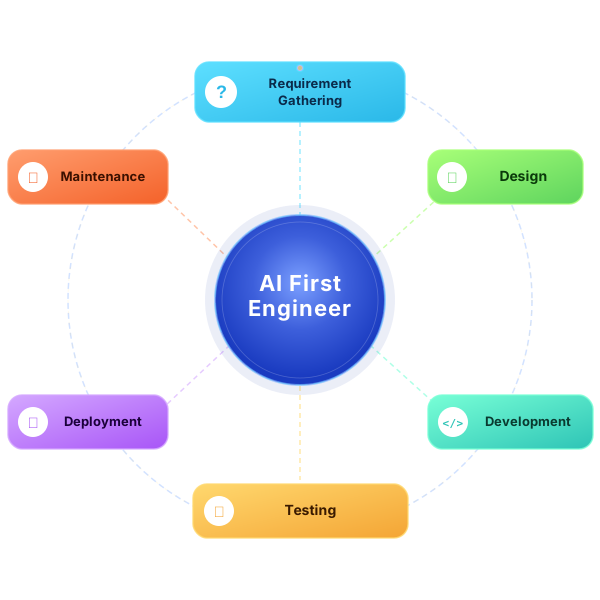
Source: www.oneclickitsolution.com
Why Reactapp.tech Matters: AI + React for Modern Builders
The gap between creative vision and functional code has long plagued cross-functional teams. Designers create beautiful mockups that developers struggle to implement faithfully. Copywriters draft compelling content that gets lost in translation. AI users generate impressive outputs that remain trapped in static images.
Reactapp.tech solves this by the component-driven power of React.js with AI-assisted design and code generation. The result: a unified environment where ideas become interfaces without friction.
Key Benefits at a Glance
- Rapid iteration: Convert prompts into website components, then refine visually or in code—no handoffs required
- React-native output: The platform generates idiomatic React.js code and components, ready for integration or export
- Collaboration-first design: Designers, copywriters, and engineers work together in real time on the same canvas
- Production-ready assets: Styles, responsive layouts, and exportable components require minimal rework
- AI-assisted workflow: Leverage artificial intelligence to accelerate prototyping and reduce development cycles
For copywriters and designers, this means rapid prototyping with live previews. For AI users, it provides environment optimized for prompt-driven generation, where carefully crafted inputs become UI, content, and interactions.
Core Capabilities of Reactapp.tech
The platform's architecture centers on five interconnected capabilities that work together to accelerate development using this powerful React app builder.
Visual App Builder with Output
Reactapp.tech presents a visual canvas where users design interfaces with drag-and-drop simplicity while the platform maintains up-to-date React.js codebase behind the scenes. Each UI element maps to reusable React components and is exportable as modular code. Think of it as designing in an environment as intuitive as Figma, but with the output of an experienced React developer.
Prompt-to-Website Workflow
At the heart of React.tech lies the prompt-driven workflow—converting your prompts to website realities:
- Enter a high-level prompt (e.g., "Create a SaaS landing page with hero, features, pricing table, and testimonial carousel")
- The AI generates a complete layout, content placeholders, and corresponding React.js components
- Designers refine visually using the built-in editor
- Developers jump into generated code to customize and integrate with backend systems
This pipeline shortens ideation-to-prototype time from days to minutes, enabling non-technical team members to create viable interfaces independently.
Component Library and Design System Support
The platform supports component libraries and design systems out of the box. Teams can define reusable components, design tokens for spacing, color, and typography, and manage themes centrally. This ensures consistency across projects while enabling teams to scale without sacrificing brand integrity.
Responsive Design and Layout Intelligence
Layouts generated by Reactapp.tech are responsive by default. The AI considers breakpoints, flex and grid behavior, and accessible sizing to produce UIs that work across. No separate mobile design pass required.
Real-Time Collaboration and Version History
Multiple contributors work simultaneously on the same project, with contextual comments, role-based access controls, and robust version history for rollbacks and audits. This eliminates the bottleneck of "designer sends file to developer."
Exportable, Readable React Code
Generated code follows React.js conventions and best practices: functional components with hooks, clean CSS-in-JS or CSS module outputs, and a clear folder structure. Teams can integrate this code existing projects without extensive refactoring.
Integrations and Developer Handoff
The platform provides developer handoff features including asset export, CSS and token specifications, and integrations with popular version control platforms and deployment pipelines. receive everything they need without chasing down design files.
Extensible Plugin and API Ecosystem
Teams extend functionality through plugins and APIs to connect data sources, CMS platforms, or design token managers. This makes Reactapp.tech adaptable to existing tech stacks rather than requiring wholesale migration.
Figma Make–Style Feature Parity: How Reactapp.tech Compares
Reactapp.tech shares the generative and collaborative design intent of Figma Make while adding a critical differentiator: code-first output. Where Figma produces design artifacts Reactapp.tech produces functional React applications. Below is a comparison organized by capability clusters.
Generative Design from Prompts
- Figma Make: Generates static frames and components from descriptions
- Reactapp.tech: Generates React components with working code, content placeholders, and responsive layouts
- Why it matters: Your prompt a deployable interface, not just a screenshot
Variants and Design Exploration
- Figma Make:-generates design variations for A/B testing
- Reactapp.tech: Generates code variants you can export and test in production
- Why it matters: Test real functionality, not just visual mockups
Content Synthesis
- Figma Make: Generates headings, body copy, and placeholder text
- Reactapp.tech: Generates content tailored to brand tone, integrated directly into React components
- Why it matters: Copy lives where it belongs—in the code
Auto-Layout andive Constraints
- igma Make: Smart layout rules that adapt across viewports
- app.tech: CSS grid and flexbox layouts that render correctly in browsers
- Why it matters: No translation from "auto-layout" to actual CSS
Design Tokens and Variable Management
- **Figma Make Centralized tokens for colors, type scales, spacing
- Reactapp.tech: Centralized tokens that export to JSON, CSS variables, or design tool formats
- Why it matters: Design tokens sync across teams and tools
Prototype and Interactions
- Figma Make: Transitions, animations, and micro-interactions for prototypes
- Reactapp.tech: Clickable prototypes with React state management and navigation logic
- Why matters: Prototype interactions behave like the final product
Collaboration and Review
- Figma Make: Real-time editing, threaded comments, and review workflows
- **Reactapp.tech Same collaboration features, plus code review workflows for generated components
- Why it matters: Design and engineering review happen in one place
Developeroff
- Figma Make: Export design specs, assets, and component code manually
- Reactapp.tech: Export React code directly; integrate with GitHub, GitLab, or deployment pipelines
- Why it matters: Handoff becomes automatic; no "design-to-code gap"
Additional React-Specific Capabilities
- State management patterns (useState, useReducer, Context API)
- API integration scaffolds with data fetching patterns
- TypeScript support for type-safe components
- Testing utilities and component isolation
The bottom line: Reactapp.tech matches Figma Make's capabilities while adding code-first features that Figma cannot provide. For teams that build applications (not just design systems), this makes Reactapp.tech the more practical choice forReact app development**.
Security and Governance: BYOK (Bring Your Own) Support
Data privacy and secure key management are decisive factors for enterprises and regulated industries. Reactapp.tech supports a BYOK model that addresses these concerns directly.
How BYOK Works
- Customers retain cryptographic control: You provide and manage your encryption keys
- Limited third-party access: Encrypted data at rest inaccessible without your key
Compliance made simple: BYOK helps meet SOC2, GDPR, HIPAA, and regional data protection requirements - Centralized key policies: Integrate with AWS KMS, Azure Key Vault, Google Cloud KMS, or HashiCorp Vault
Benefits for Your Organization
- Enhanced trust: Maintain control over sensitive data, even when using AI-powered generation on cloud-based services
- Granular access control: Project-level encryption with policies mapped to specific teams or environments
- Auditability: Policy-driven key rotation and complete audit trails for regulatory compliance
For teams evaluating cloud-based design tools with AI capabilities, BYOK transforms "we can't use this because of security concerns" into "this actually strengthens our security posture."
How to Convert Prompts into a Working Website: Practical Workflow
The prompt-to-website approach in Reactapp.tech enables rapid creation and iteration. Follow this recommended workflow to maximize results.
Step 1: Define Objectives and Input
Before writing a single, clarify:
- Page type: Landing page, dashboard, e-commerce, documentation site?
- Target audience: Who will use this? What's their technical comfort level?
- Tone of voice: Professional, casual, authoritative, friendly?
- Required components: Hero section, feature cards, pricing tables, testimonials, CTAs?
- Brand assets: Logo files, color palette, typography, existing design tokens
Step 2: Craft Effective Prompts
Specific prompts produce better results. Compare these examples:
Weak prompt:
"Make a landing page for my app."
Strong prompt:
"Design a SaaS homepage for a productivity app targeted at small teams. Include a hero section with headline and CTA button, three feature cards with icons, a pricing comparison table with tiers, and a testimonial carousel. Tone: professional and concise. Use mobile-first design with accessible color contrast. Primary CTA: 'Start Free Trial'."
Best practices for prompt crafting:
- Specify exact sections in order
- Include design constraints (mobile-first, dark mode, accessibility)
- Define tone and brand voice
- List required CTAs and their copy
- Mention any technical requirements (API integration, authentication)
Step 3: Generate and Review
Use Reactapp.tech to produce the initial layout and content. Then:
- Review generated components in the visual editor
- Iterate on copy and visual hierarchy
- Check responsive behavior across breakpoints
- Verify accessibility (contrast, heading structure, focus order)
Step 4: Refine and Add Interactions
Once the layout is solid:
- Add navigation logic and page transitions
- Define state management for interactive components
- Wire up placeholder data to real APIs or data sources
- Add animations and micro-interactions for polished UX
Step 5: Export or Integrate
When ready:
- Export React.js code, assets, and design tokens
- Connect directly to GitHub or GitLab repositories
- Trigger automated deployment to staging or production environments
Generate documentation for your design system
Prompts for Different Scenarios
Landing page: "Create a modern, minimalist landing page for an AI writing assistant. Include hero section with animated headline, three feature cards showing before/after examples, transparent pricing tiers with highlighted recommended plan, and FAQ accordion. Tone: expert and approachable. CTA: 'Try Free for 14 Days'."
Dashboard: "Generate a responsive marketing analytics dashboard with four metric cards, a line chart showing traffic trends, a filter bar with date range selector, a data table with sortable columns, and a user list with search. Include empty states and onboarding microcopy for first-time users."
Component: "Create a reusable pricing table component with three tiers (Starter, Professional, Enterprise), month/year toggle that recalculates annual savings, highlighted recommended plan with badge, and hover states on CTA. Export as a standalone React component with customizable props."
Best Practices for Prompts and Collaboration
Engineering
- Start with structure: Outline sections and essential components before asking for full designs
- Iterate incrementally: Use follow-up prompts to refine colors, typography, and copy rather than regenerating everything
- Use role-based prompts: the AI to act as "product designer," "copywriter," or "front-end developer" for specialized output
- Include constraints: Specify accessibility requirements, performance targets, and mobile considerations upfront
Team Collaboration
- Maintain a design system: Keep tokens and components centralized for consistency across AI-generated outputs
- Establish review workflows: Designers review visual quality, copywriters review messaging, developers review code quality
- Use versioning: Leverage Reactapp.tech's version history to experiment without fear of breaking production work
- Document decisions: Add context to prompts and review comments so the team learns and improves over time
Code Quality
- Review generated code: Developers should enforce engineering standards as part of the CI/CD pipeline
- Add automated checks: Implement linting, unit tests, and type checks (TypeScript) post-export
- Maintain consistency: Apply your organization's coding style guide to generated components
Real-World Use Cases
Marketing Landing Pages (Copywriters)
Marketing teams can produce multiple landing page variants in hours instead of weeks. Copywriters write prompts in natural language, review generated layouts, and iterate on messaging—all without support. The output is exportable React pages that integrate with existing analytics, CDNs, and A/B testing tools.
Result: A/B test layouts and messaging in days, not months.
Design-toode Productivity Boost (Designers)
Designers create components visually in Reactapp.tech's canvas, then engineers pull the exported React components directly into production. This reduces the typical two-to-three-week design-to-code handoff to a matter of hours.
Result: Designers maintain creative control; engineers receive production-ready code.
Prototype to MVP (Startups)
Startups can prototype an entire MVP with generated UI and interactivity, then incrementally replace generated logic with custom modules—all on a single platform. This allows founders to validate ideas before hiring full engineering teams.
Result: Ship functional prototypes in days; iterate based on real user feedback.
and Integration Considerations
Quality and Standards
Generated React.js code is readable and organized, but teams should incorporate:
- Linting: ESLint with your project's configuration
- Unit testing: Jest or React Testing Library for generated components
- Type checking: TypeScript conversion for type safety
- Performance audits: Lighthouse or WebPageTest for bundle size and render performance### CI/CD Integration
app.tech supports- Direct sync with GitHub, GitLab, and Bitbucket repositories
- Automated deployment triggers to Vercel, Netlify, or AWS Amplify
- Environment variable management for API keys and secrets
- Build hooks for custom deployment pipelines
State Management and Data Integration
- Connect generated components to real APIs using adapter patterns
- Replace stubbed data with live endpoints
- Implement state management patterns (Redux, Zustand, Context) as your application scales
- Add error boundaries and loading states for production reliability
Extensibility
- Use the plugin/API layer for bespoke integrations (e-commerce platforms, headless CMS providers, analytics tools)
- Create custom components in React and import them back into Reactapp.tech
- Extend the design system with custom tokens and themes
Pricing, Enterprise Options, and Support
Reactapp.tech offers tiered plans designed for different team sizes and requirements:
- Individual: For freelancers and solo developers; includes core features, limited project count, and community support
- Team: For small to medium teams; adds collaboration features, version history, and priority support
- Enterprise: For organizations with advanced security and compliance needs; includes BYOK, SSO, dedicated support, and SLAs
For current pricing and to start a free trial, visit reactapp.tech/pricing.
SEO, Accessibility, and Production Readiness
Reactapp.tech markup and component structure are optimized for search engines and accessibility.
SEO Features
- Semantic HTML5 markup with proper heading hierarchy
Configurable meta tags (title, description, OG tags) - Structured data support (JSON-LD, schema.org)
- Clean URL structures for routing
- Image optimization with lazy loading and alt attributes
Accessibility Features
- ARIA attributes roles for screen reader compatibility
- Focus management with keyboard navigation support
- Color contrast recommendations meeting WCAG 2.1 AA/AAA
- Semantic heading structure for proper document outline
- Skip navigation links and focus indicators
Production Readiness
- Export-ready assets with optimization suggestions
- Bundle size analysis and code splitting recommendations
- Performance budgets enforced at generation time
- Responsive images with srcset generation---
Migration, Import/Export, and Compatibility
Import Capabilities
- Import existing Figma designs for continuity with current workflows
- Import design tokens from JSON, CSS variables, or design tool formats
- Import component libraries from npm packages or GitHub repos
Export Formats
- Export code GitHub/GitLab repositories
- Download production-ready packages (ZIP with complete project structure)
- Export design tokens in JSON, CSS variables, orwind config format
- Generate component documentation with Storybook or Styleguidist integration
Compatibility
- Works with any React version 168+ (hooks support)
- Compatible with Next.js, Gatsby, and Create React App
- Supports TypeScript out of the box
- Integrates with all major CSS frameworks (Tailwind, styled-components, Emotion)
Frequently Asked Questions
What is Reactapp.tech?
Reactapp.tech is an AI-powered React app builder that converts natural language prompts into production-ready React applications and websites through a visual editor and code export system.
Can Reactapp.tech generate clean React code?
. The platform outputs idiomatic React.js components and project scaffolding using functional components, hooks, and best practices. The code is readable and ready for integration.
How do prompts work exactly?
Users provide descriptive prompts for pages, components, or content. The AI interprets those prompts to generate layouts, copy, and React components that can be further refined in the visual editor or directly in code.
Does Reactapp.tech support enterprise security requirements?
. Reactapp.tech supports a Bring Your Own Key (BYOK) model for data encryption, along with SSO, role-based controls, logging, and compliance with SOC2, GDPR, and HIPAA.
Is Reactapp.tech similar to Figma Make?
Functionally, Reactapp.tech shares the generative and collaborative design intent of Figma Make. However, Reactapp.tech focuses on producing exportable, production-ready React code rather than static design artifacts. It matches Figma's design capabilities while adding code-first advantages.
What kind of projects can I build?
Marketing landing pages, SaaSboards, e-commerce interfaces, documentation sites, internal tools, and full application prototypes—virtually anything that uses React.
Do I need coding experience to use Reactapp.tech?
No. Copywriters, designers, and product managers can create complete interfaces using prompts and the visual editor. Developers can then extend and integrate the generated code.
Implementation Checklist for Teams
Before adopting Reactapp.tech, use this checklist to ensure a smooth rollout:
and Planning
- Define goals and success metrics for AI-generated designs
- Identify pilot projects and stakeholders
- Establish review workflows and quality gates
- Document brand guidelines and design system requirements
Technical Setup
- Inventory brand assets and design tokens
- Choose CI/CD integration points (GitHub, GitLab, platform)
- Configure BYOK or security integrations (if required)
- Set up version control synchronization
Team Enablement
- Train copywriters and designers on prompt best practices
- Train developers on code review workflows for generated components
- Create prompt templates for common page types
- Establish naming conventions project organization
Quality Assurance
- Define code quality gates for exported React components
- Set up automated testing for generated code
- Implement accessibility auditing in the review process
- Create performance benchmarks and monitoring
Conclusion: From Prompts to Production
The gap between idea and interface has never been smaller. Reactapp.tech bridges the gap between creative prompts and production-ready applications by combining generative AI, a visual builder, and the power of React.js.
For AI users, copywriters, and designers, it offers an accessible yet robust platform to convert ideas into live interfaces via prompts—supported by design systems, collaborative workflows, and exportable React code. Its feature parity with Figma Make–style tools—paired with additional code-first capabilities—makes Reactapp.tech an attractive choice for teams that need to move fast without sacrificing maintainability.
Security-conscious organizations benefit from BYOK support, bringing enterprise-grade key control and compliance to AI-powered development workflows. Engineering teams receive clean, idiomatic React code that integrates seamlessly into existing pipelines.
Whether you need to rapidly prototype marketing pages, streamline designer-engineer handoffs, or build full React-based products, Reactapp.tech provides the tools and workflow to scale your React app development efforts.
**Take the next step: Build Now at Reactapp.tech**—turn your prompts into production React code. Start with a free trial; no credit card required.
Additional Resources
Internal Links
External Resources
- React Official Documentation (opens in new window)
-Web Accessibility Initiative](https://www.w3.org/WAI/) (opens in new window)
This article provides an in-depth evaluation of Reactapp.tech for AI users, copywriters, and designers seeking a modern, collaborative environment for prompt-to-website development. Start building now at Reactapp.tech.