For web developers, the challenge is not understanding what an API does; it is implementing integrations that are secure, performant, and resilient when remote services fail. This article assumes familiarity with WordPress plugin development and WooCommerce hooks. It examines WooCommerce's API architecture, the practical patterns for connecting third-party services, and the technical safeguards that separate a stable integration from a fragile one.
Source: wp-umbrella.com
Understanding WooCommerce API Architecture
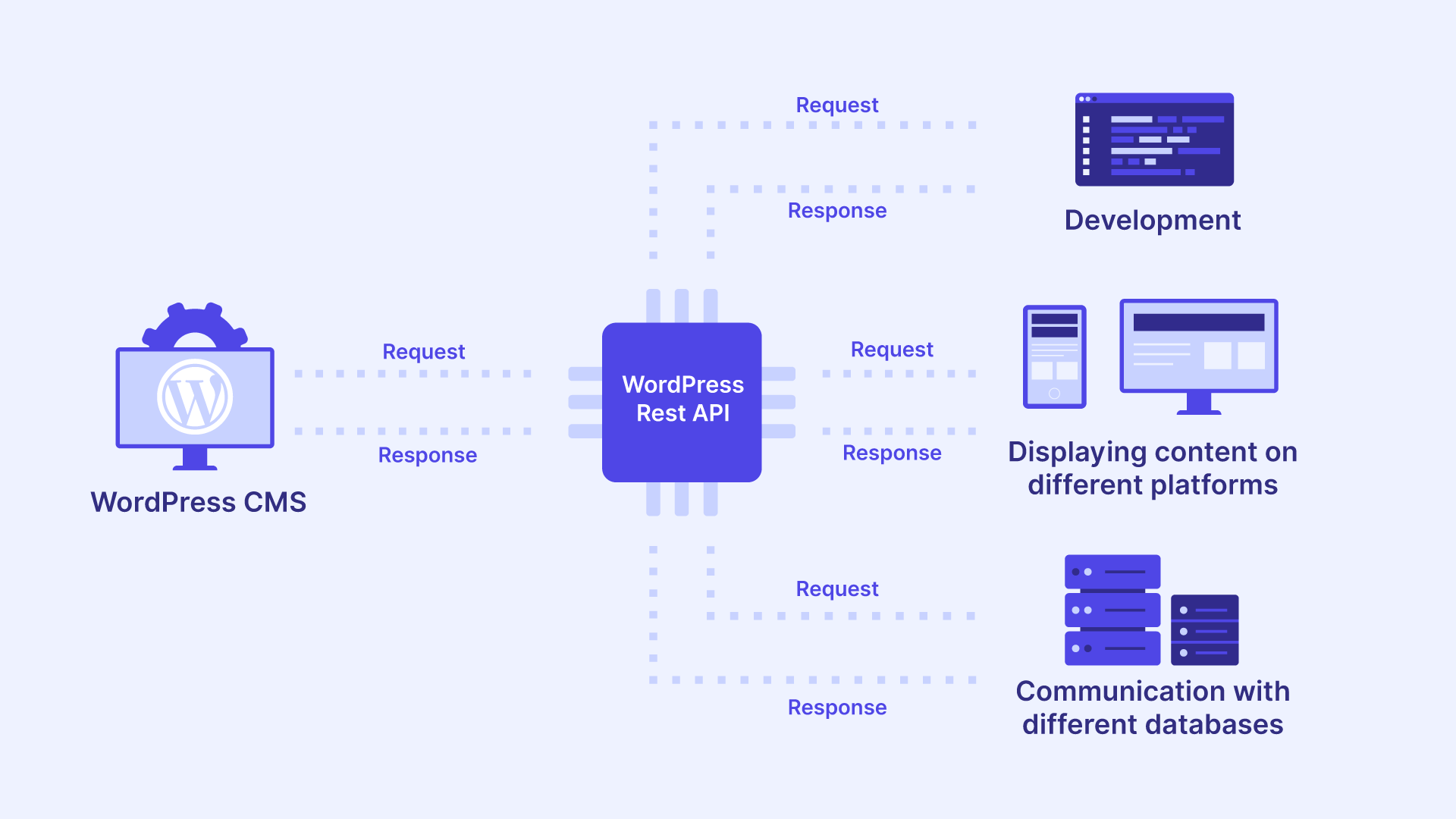
WooCommerce exposes two distinct API surfaces, and confusing them is a common source of integration bugs.
Source: wp-umbrella.com
WooCommerce REST API vs. Third-Party APIs
The WooCommerce REST API allows external systems to read and write store data — products, orders, customers, coupons. It is inbound: other platforms call your store.
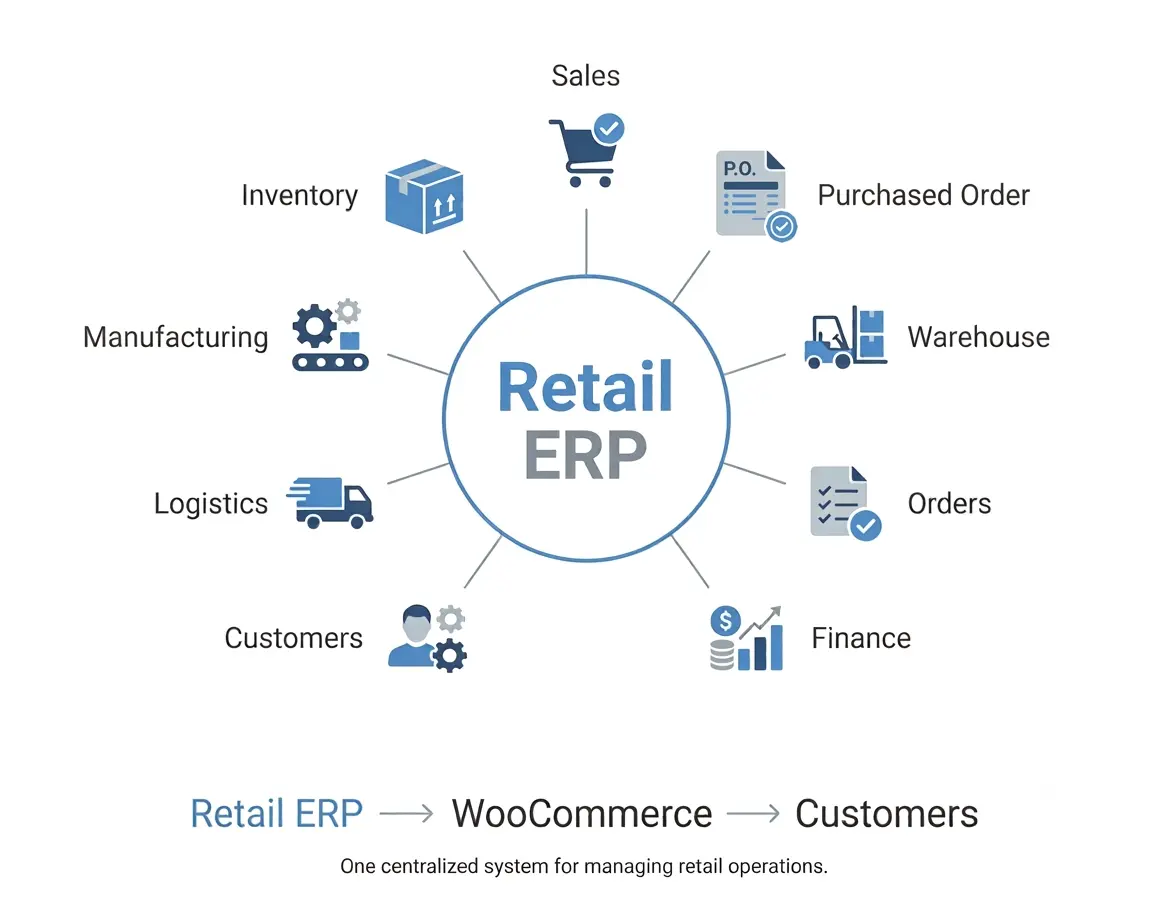
A third-party API works in the opposite direction. Your store calls an external service, such as ShipStation, HubSpot, Stripe, or a custom ERP endpoint. Most real integrations use both: your store receives orders via its own REST API and pushes them outward to fulfillment or accounting systems.
Source: webkul.com
Core API Integration Patterns for WooCommerce
Three patterns dominate WooCommerce development, and each is the right choice under different conditions:
- Pull (scheduled sync): A cron job fetches inventory or pricing every few minutes. Best when the remote system cannot push data and near-real-time accuracy is not critical — for example, syncing a supplier price list overnight.
- Push (event-driven): WooCommerce hooks fire on order events and immediately send data outward. Best when downstream systems need data the moment it exists, such as notifying a fulfillment provider the instant an order is marked "processing."
- Webhook (reactive): The third party notifies your store when remote data changes. Best when the external service owns the data and exposes subscription events — for example, a shipping carrier posting tracking updates back to your store.
Event-driven pushes deliver the best user experience for order data because information moves the moment a customer completes checkout, not on the next polling cycle. Pull and webhook patterns remain essential for data your store does not originate.
Preparing Your WooCommerce Store for API Integration
Authentication and API Keys
WooCommerce generates consumer keys under WooCommerce → Settings → Advanced → REST API. Each key pair consists of a consumer key and secret, with read, write, or read/write permissions.
| Method | Best Use Case | Security Level |
|---|---|---|
| Basic Auth over HTTPS | Internal scripts and testing | Moderate |
| OAuth 1.0a | Third-party apps acting on behalf of users | High |
| Bearer tokens (third party) | Calling external services | Provider-dependent |
| API keys in headers | Server-to-server calls | High when rotated |
Credential Storage and Rotation
Never hardcode credentials in theme files. Store them in
wp-config.php constants or environment variables so they survive plugin updates and never reach version control. Rotate keys on a schedule, immediately after staff changes, and whenever a provider reports a breach. Scope each token to the minimum permissions required — a read-only inventory token should never carry write access to orders.Environment and Security Configuration
Confirm that your server supports outbound HTTPS requests and that
wp_remote_post() is not blocked by a firewall. Add a staging environment with sandbox credentials from every third-party provider — testing order syncs against a live accounting system is an expensive mistake.Practical API Integration Techniques for Web Developers
With credentials and environments configured, the next step is choosing the right transport layer and knowing how inbound and outbound data should move.
Using the HTTP API for Outbound Requests
WordPress ships with the
WP_HTTP class, accessible via wp_remote_post(), wp_remote_get(), and related helpers. Always prefer these over cURL directly: they respect proxy settings, handle SSL verification, and integrate with WordPress filters for debugging.Code Example: Pushing Order Data to a CRM
The following example fires when an order reaches "completed" status, builds a payload from the order object, and posts it to a CRM.
wc_get_order() returns a WC_Order object with getter methods for every field; wp_json_encode() is preferred over json_encode() because it handles UTF-8 and edge cases consistently across WordPress environments.add_action( 'woocommerce_order_status_completed', 'my_store_push_order_to_crm', 10, 1 );
function my_store_push_order_to_crm( $order_id ) {
$order = wc_get_order( $order_id );
$payload = array(
'external_id' => $order->get_id(),
'customer' => array(
'email' => $order->get_billing_email(),
'name' => $order->get_formatted_billing_full_name(),
),
'total' => $order->get_total(),
'currency' => $order->get_currency(),
'line_items' => array(),
);
$response = wp_remote_post( 'https://api.your-crm-provider.com/v2/orders', array(
'timeout' => 20,
'headers' => array(
'Authorization' => 'Bearer ' . MY_CRM_API_TOKEN,
'Content-Type' => 'application/json',
),
'body' => wp_json_encode( $payload ),
) );
if ( is_wp_error( $response ) ) {
$order->add_order_note( 'CRM sync failed: ' . $response->get_error_message() );
}
}Note the explicit timeout. Without it, a slow third-party API can exhaust PHP workers and take your storefront down.
Handling Webhooks for Inbound API Data
Webhooks invert the direction of control: the third party decides when your code runs. That makes them powerful and dangerous in equal measure, and it is why they deserve dedicated treatment rather than a subsection of general integration technique.
Register a REST route to receive webhook payloads:
add_action( 'rest_api_init', function () {
    register_rest_route( 'my-store/v1', '/shipping-update', array(
        'methods'             => 'POST',
        'callback'            => 'my_store_handle_shipping_update',
        'permission_callback' => 'my_store_verify_signature',
    ) );
} );
The
permission_callback is mandatory in WordPress 5.5 and later, but the security requirement goes deeper than satisfying the API. Your callback must validate an HMAC signature or shared secret against the raw request body — parsing JSON first and then hashing will fail against most providers. An unauthenticated webhook endpoint is an open door to data manipulation.Two further safeguards matter. First, guard against replay attacks by rejecting payloads whose timestamp is older than a few minutes, or by tracking recently seen event IDs. Second, make handlers idempotent: providers retry webhooks aggressively, and the same event may arrive three times before your handler finishes processing the first.
Error Handling, Logging, and Retry Logic
Networks fail. Third-party APIs return 429 and 503 responses. A resilient integration assumes failure and recovers gracefully.
Logging and Alerting
Log every request and response using
WC_Logger with a dedicated channel such as my-store-crm. Without a channel, logs from multiple integrations interleave and become useless during an incident. Alert on repeated failures — a Slack notification after three consecutive errors surfaces problems long before a customer complaint does.Retry Strategies
Queue failed requests in a custom database table or Action Scheduler job, then retry with exponential backoff. Action Scheduler, bundled with WooCommerce, is purpose-built for this: it persists jobs outside the request lifecycle and retries automatically. Use idempotency keys so retried requests do not create duplicate records downstream — most modern APIs accept an
Idempotency-Key header and will return the original response for repeated submissions.Performance Considerations and Caching for API Integration
Synchronous API calls during checkout degrade conversion rates. The rules below map each concern to a concrete technique:
| Concern | Technique |
|---|---|
| When calls fire | Defer non-critical calls to
shutdown or Action Scheduler; never fire them on woocommerce_checkout_process. || Repeated reads | Cache read-heavy responses — shipping rates, tax tables, currency conversions — in transients with sensible TTLs. |
| Round-trip volume | Batch requests where the provider supports it, reducing round trips for large catalogs. |
| Browser blocking | Never block the customer's browser on an external service. |
The principle underneath all four: the checkout flow must succeed even if every third-party API is offline.
Security Best Practices
Validate and sanitize every inbound payload with
sanitize_text_field(), absint(), or schema-based validation. Enforce HTTPS for all endpoints. As covered earlier, rotate API keys on a schedule and scope tokens to the minimum permissions required. Treat every credential as a liability with an expiration date, and every inbound request as untrusted until proven otherwise.Testing and Monitoring Your WooCommerce API Integration
Use the provider's sandbox for functional testing, then simulate failure states: invalid credentials, timeouts, malformed JSON, and HTTP 500 responses. Tools like Query Monitor reveal unexpected HTTP calls, while New Relic or Sentry surface production exceptions.
Set up uptime and endpoint monitoring so you learn about an outage from your dashboard, not from a customer's complaint. These practices add complexity and cost — retry queues, monitoring subscriptions, and staging environments all demand ongoing attention — but the alternative is discovering failures through lost revenue.
Conclusion
Integrating third-party APIs with WooCommerce rewards developers who respect three truths: the network is unreliable, the checkout path is sacred, and credentials are liabilities. Every hour of checkout downtime translates directly into abandoned carts and lost revenue, and the practices in this article — using
WP_HTTP and Action Scheduler correctly, authenticating every webhook, logging exhaustively, and caching aggressively — are how you avoid that outcome as order volume grows.Start with one integration — perhaps order sync to your fulfillment provider — implement retry logic and monitoring from day one, and treat every external call as a failure waiting to happen. Your store, your clients, and your uptime will all be better for it.
---
Enjoyed this deep dive into WooCommerce API integration? Subscribe Now to get more expert-level WordPress development tutorials, ecommerce architecture guides, and performance optimization strategies delivered straight to your inbox.woocommerce api, third-party integration, web developers, api architecture, error handling
0 comments:
Post a Comment