Your WooCommerce store works fine — until it doesn't. The moment your pricing, fulfillment, or compliance rules diverge from what off-the-shelf plugins assume, you start stacking workarounds: one plugin for tiered pricing, another for subscriptions, a third to reconcile the two, and a spreadsheet to catch what falls through. For entrepreneurs and e-commerce businesses, custom WooCommerce plugin development is the professional alternative. It makes business sense when your commercial model does not fit the assumptions baked into off-the-shelf extensions — recurring pricing with exceptions, B2B contract tiers, multi-vendor revenue splits, regulated-product workflows, or deep synchronization with an ERP. In those situations, a purpose-built plugin encodes your rules once and executes them reliably at scale, while plugin stacks produce fragile workarounds.
The ten business cases below are where custom development most consistently returns more than it costs. They are grouped by the kind of business problem they solve — revenue models, operations and fulfillment, and risk and scale — so you can scan directly to the cases that match your situation. A build-versus-buy framework, realistic cost and timeline guidance, and answers to common questions follow.

Source: vizologi.com

Source: dashfordevs.com
Standard subscription extensions handle the common pattern well: a product, a billing interval, a renewal. Real subscription businesses rarely stay that tidy. Consider a supplement brand that ships every 30 days but pauses automatically when a customer's card fails twice, or a SaaS company that bills annually in advance yet grants monthly usage credits. A gym chain might grandfather legacy members at a frozen rate while new members pay current pricing — on the same product.
Custom development earns its place when recurring logic intersects with proration, pause and skip flows, prepaid renewal credits, grandfathered legacy pricing, or usage-based components. These rules touch the cart, the order, the payment gateway, and the customer account simultaneously — exactly where generic extensions fragment.
A purpose-built recurring engine gives finance and operations something they can trust: renewal orders that reflect the correct tax treatment, dunning sequences matched to your collection policy, and reporting that reconciles with your accounting system. For subscription businesses, revenue predictability is the product, and the billing logic is what protects it.

Source: apps.shopify.com
B2B e-commerce is where vanilla WooCommerce strains hardest. A distributor may need customer-specific price lists, volume breakpoints, contract pricing with expiry dates, minimum order quantities, and a "request a quote" path that converts into an order once a sales rep approves it.
Generic wholesale plugins typically handle one or two of those dimensions. The moment you need price list A for this buying group, minus a 7% contract discount, floored at cost-plus-margin, and only for products in the spring catalog, configuration becomes a maze of conditional rules nobody can audit.
Custom plugin development replaces that maze with a pricing engine that reads from a defined hierarchy: contract price first, then customer group tier, then volume breakpoint, then catalog list price. The same plugin can extend the order lifecycle with quote requests, approval routing, and credit terms. The commercial payoff is direct — fewer manual price overrides, fewer invoicing disputes, and a sales team that can quote confidently without checking a spreadsheet.
Running a marketplace on WooCommerce is popular because the platform is familiar, but marketplace economics are a different animal from single-seller retail. You need vendor onboarding, per-vendor product ownership, split payments, commission rules that vary by category or vendor tier, refund handling that reverses payouts correctly, and vendor dashboards that show earnings without exposing platform-wide data.
Commission logic is the part that rarely transfers cleanly from an off-the-shelf multivendor plugin. If your model includes tiered commission rates, category-specific percentages, subscription-based vendor fees, or holdback periods before payouts clear, custom development is the more honest route. A marketplace for handmade goods, for example, might take 15% on the first $1,000 a vendor earns monthly and 10% thereafter — a rule most generic plugins cannot express without custom code anyway.
Build it as a dedicated plugin layered over WooCommerce's order and product APIs, and you keep a single source of truth for every transaction. That matters for tax reporting, dispute resolution, and the moment you negotiate with a payment provider that wants to understand exactly how funds flow.
Points, tiers, referral credits, and members-only pricing are all attempts to change customer behavior. The problem is that most loyalty extensions operate as a separate layer, disconnected from pricing, coupons, and customer accounts. The result is predictable: points that do not apply at the right moment, tier discounts that do not stack correctly with promotions, and reported balances that do not match the ledger.
Custom development makes sense when your program has non-standard earning rules — category exclusions, bonus multipliers during campaigns, points earned on subscription renewals, tier thresholds based on rolling twelve-month spend. It also makes sense when the program must be auditable, because credits are effectively a liability. A coffee retailer running double-points weekends and a birthday-month freebie, for instance, needs earning rules that fire on schedule and a ledger that finance can reconcile.
A well-built loyalty plugin maintains a transaction ledger, applies redemptions inside the pricing pipeline rather than through a coupon workaround, and exposes reporting your finance team can reconcile at month end.
Configurable products — custom furniture, industrial components, printed apparel, engraved gifts — break the standard variation model fast. A customer may need to choose dimensions, materials, finishes, and add-ons, each with its own price modifier, lead time, and dependency. Some combinations are physically impossible and must be blocked; others trigger a manual engineering review.
Off-the-shelf product option plugins collect selections but rarely price them correctly across hundreds of combinations, and they almost never pass structured specifications downstream to production.
A custom configurator plugin can do three things simultaneously: price the configuration deterministically, save the specification as structured order metadata, and hand that specification to your manufacturing or fulfillment system without a human retyping it. A cabinet maker, for example, can capture dimensions, wood species, and hardware choices, price the combination, and route the spec sheet straight to the shop floor. The business case here is measured in error reduction and margin protection. Misconfigured orders are expensive to fix and corrosive to customer trust.
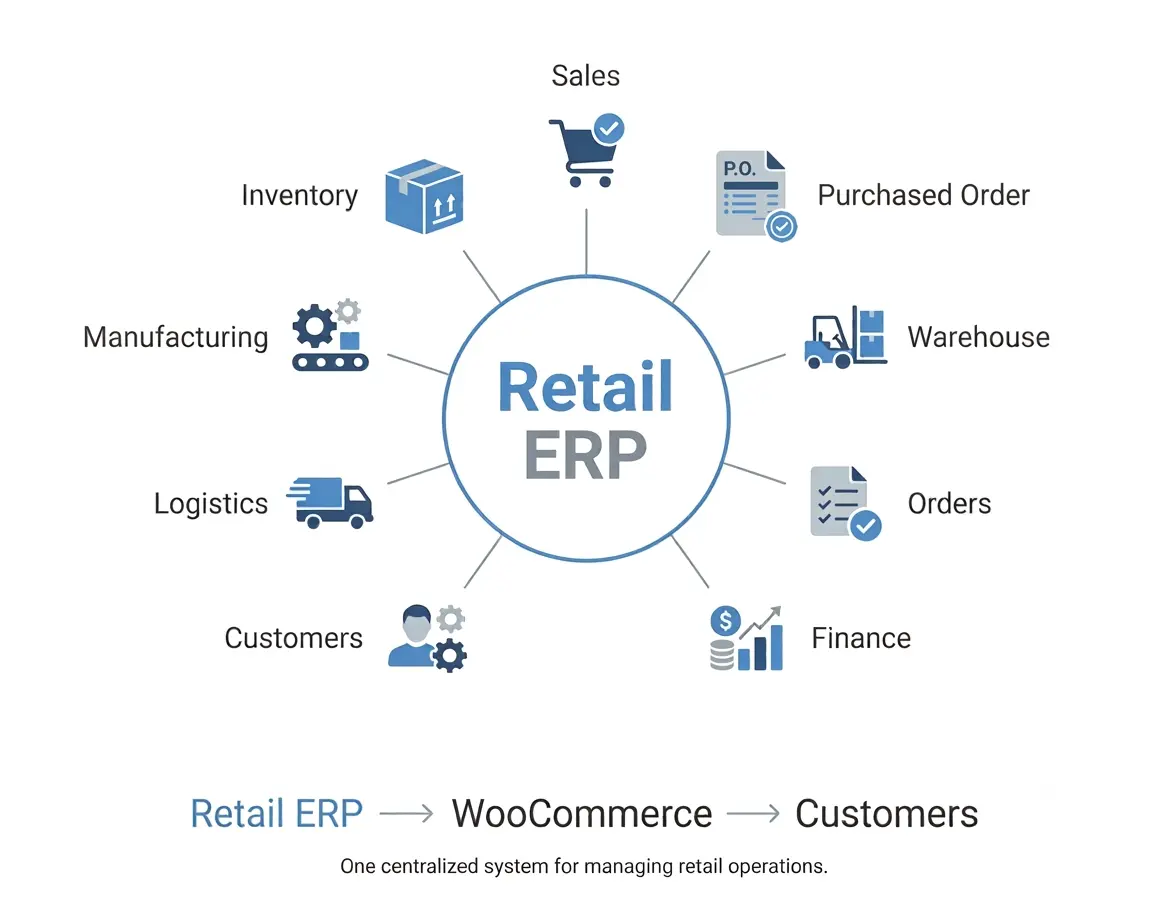
Most growing stores reach a point where WooCommerce is no longer the system of record. Inventory lives in an ERP, customers live in a CRM, invoices live in accounting software. The question is whether that integration runs on a fragile chain of connectors or on a purpose-built bridge.
Custom integration plugins win on three fronts: mapping fidelity, error handling, and throughput. Your ERP likely has field structures, unit-of-measure conventions, and tax logic that generic connectors flatten or misread. A custom plugin maps fields explicitly, queues failed records for retry instead of silently dropping them, and batches high-volume sync jobs so storefront performance is unaffected.
The commercial argument is straightforward. Inventory drift causes oversells; oversells cause refunds and chargebacks; manual reconciliation consumes staff hours every week. A custom integration eliminates an entire category of operational cost that rarely appears on a roadmap but quietly taxes the business.
Delivery is often the deciding factor in local and regional e-commerce. A grocery store needs same-day slots with capacity limits. A business with two warehouses needs routing logic that picks the right origin and splits orders correctly. A furniture retailer with its own fleet needs dispatch manifests and delivery windows that customers can self-select at checkout.
Standard shipping extensions model rate calculation; they do not model operational capacity. Custom development lets you define slot inventories, blackout dates, zone restrictions, per-vehicle limits, and cutoff times — then surface only the options that are genuinely available. A florist delivering for Valentine's Day, for example, can cap orders per time window and block slots once the van is full.
The payoff shows up in two places. Customers stop booking slots you cannot serve, which cuts failed deliveries and support tickets. And your dispatch team works from order data that is already structured for routing instead of a pile of free-text delivery notes.
As a store grows, the catalog and order volume become their own constraint. Tens of thousands of variations, daily price updates across thousands of SKUs, bulk order operations, and reporting queries that time out — these are engineering problems, not configuration problems.
Custom plugin development addresses them at the right layer. Bulk price and stock updates can run as queued background jobs instead of browser-driven loops. Reports can query indexed custom tables rather than joining postmeta repeatedly. Catalog filters can be served from a purpose-built index, keeping product listing pages fast as the catalog expands.
For teams pursuing headless or composable architectures, a custom plugin can also expose clean REST endpoints that a decoupled front end consumes — with WooCommerce's official REST API documentation as the foundation. Performance work is unglamorous, but conversion, support load, and infrastructure cost all track it closely.
Selling age-restricted goods, pharmaceuticals, licensed digital content, or products with regional restrictions introduces obligations that generic checkout flows do not enforce. You may need age verification at the point of purchase, prescription or license upload with reviewer approval, jurisdiction-based product blocking, mandatory documentation attached to the order, and audit trails that survive an inspection.
Compliance requirements are a strong argument for custom code because they are specific, auditable, and non-negotiable. A plugin that enforces a rule in one place — rather than relying on a shipping note or a staff checklist — turns a compliance risk into a controlled process. A pharmacy selling prescription items online, for instance, can require license upload, hold the order for pharmacist review, and attach the approval record to the order permanently.
When building here, document the rule set alongside the code and keep a version history tied to regulatory changes. Regulators and payment processors both respond better to a system that can demonstrate enforcement than to a policy document describing intent.
Payments are where custom requirements carry the highest stakes. You may need a gateway that serves a specific market, split payments between a deposit and a balance, support purchase orders and net terms for approved accounts, or apply fraud rules tailored to your risk profile. International sellers add another layer: multi-currency pricing, localized tax logic, and payment methods that vary by region.
Off-the-shelf gateways and checkout plugins are fine — until you need a conditional payment path: card only for orders under a threshold, invoice for verified trade accounts, deposit required for made-to-order items, partial payment on preorders. Encoding those rules at checkout prevents revenue leakage and removes manual review from your daily operations.
Custom payment work demands care. Follow the gateway provider's official API and security guidance, use WordPress's recommended plugin development practices, and test against sandbox environments before any live transaction. For checkout UX, published usability research from the Baymard Institute consistently shows that removing friction and uncertainty at payment is one of the highest-leverage improvements available to any store.
Before committing budget, score your requirement against four questions.
| Question | Lean toward configuration | Lean toward custom development |
|---|---|---|
| Is the requirement common across many stores? | Yes | No — it is specific to your model |
| Can one extension meet it without workarounds? | Yes | No — needs three or more plugins |
| Is the commercial value material? | Marginal | Directly affects revenue, cost, or risk |
| Will the rule set stay stable? | Changing constantly | Defined and auditable |
A useful rule of thumb: if you are describing the requirement with the words "except," "unless," or "but only when," you are describing custom logic. Two or more of those clauses in the same workflow is a strong signal that configuration has reached its limit.
Custom plugin costs are driven by scope, not by lines of code. A focused integration with a single third-party API sits at one end of the spectrum. A marketplace commission engine with vendor dashboards, split payouts, and refund reversal logic sits at the other. The variables that move the number most are:
- Number of integrations and the quality of their APIs and documentation.
- Data migration requirements, especially cleaning historical records.
- User roles and permissions — every additional role multiplies admin surface area.
- Reporting and audit requirements, which often exceed expectations.
- Ongoing maintenance, since WooCommerce and WordPress release regularly.
Plan for maintenance from day one. Allocate a modest recurring budget for compatibility updates, security patches, and small enhancements. Projects fail more often from neglected upkeep than from poor initial construction.
Treat delivery in phases. Ship a working core covering the highest-value rules, validate it in production with real orders, then extend. This reduces risk and gives you evidence to justify the next phase.
Cost tracks scope. A single-purpose plugin connecting WooCommerce to one external system generally requires far less investment than a multi-vendor marketplace with payouts and dashboards. Ask for a phased estimate that separates the core build from optional extensions, so you can prioritize by business value rather than by feature count.
Timelines depend on integrations, data migration, and review cycles. A focused plugin can move from scoping to launch in a matter of weeks; complex marketplace or ERP projects usually run across several months with staged releases. The critical path is almost always requirements sign-off and third-party API access, not coding.
Often you can — and you should, when a standard extension matches your process. Custom development becomes the better investment when meeting your requirements would mean running several overlapping plugins, accepting manual workarounds, or compromising on rules that affect revenue or compliance.
Any well-maintained plugin, custom or commercial, needs compatibility testing against new WooCommerce releases. The advantage of owning your code is control: you can test, patch, and deploy on your own schedule. Build a maintenance agreement into the project from the start rather than treating updates as an afterthought.
Insist on it. Code ownership, repository access, and documentation should be specified in the contract. Ownership protects you if your development partner changes direction, and it makes the plugin a durable business asset rather than a dependency.
Usually not, unless a specific rule is blocking growth. Small catalogs with standard shipping and payment needs are well served by configuration. Revisit the question when manual workarounds start consuming staff hours or when order errors trace back to plugin limitations.
If the framework above points toward custom development, the next decision is who builds it. Look for a professional partner who asks about your order lifecycle before discussing technology. The right questions sound like: What happens when a payment fails on a renewal? Who approves a quote, and what can they change? How does an order reach fulfillment today? A team that maps your process first will build a plugin your staff actually uses.
Ask also about code ownership, documentation standards, testing approach, and how updates to WooCommerce are handled after launch. If you want a team that has done this repeatedly, learn more about our plugin development services and start with a scoping conversation.
Custom WooCommerce plugin development is not a status symbol — it is a tool for encoding business rules that generic extensions cannot express. The strongest business cases cluster around recurring revenue, B2B pricing, marketplaces, configure-to-order products, system integrations, compliance, logistics, loyalty economics, payment paths, and scale. In each, the return comes from the same source: rules that execute correctly without human intervention, and data structured for the systems that depend on it.
Start by mapping your order lifecycle and identifying where staff compensate for software. That list is your business case. If you are ready to turn it into a scoped, phased build, learn more about our plugin development services and book a discovery session with our team.
The ten business cases below are where custom development most consistently returns more than it costs. They are grouped by the kind of business problem they solve — revenue models, operations and fulfillment, and risk and scale — so you can scan directly to the cases that match your situation. A build-versus-buy framework, realistic cost and timeline guidance, and answers to common questions follow.
Source: vizologi.com
Revenue Models: Pricing, Subscriptions, Marketplaces, and Loyalty
Source: dashfordevs.com
1. Subscriptions and Recurring Revenue With Non-Standard Rules
Standard subscription extensions handle the common pattern well: a product, a billing interval, a renewal. Real subscription businesses rarely stay that tidy. Consider a supplement brand that ships every 30 days but pauses automatically when a customer's card fails twice, or a SaaS company that bills annually in advance yet grants monthly usage credits. A gym chain might grandfather legacy members at a frozen rate while new members pay current pricing — on the same product.
Custom development earns its place when recurring logic intersects with proration, pause and skip flows, prepaid renewal credits, grandfathered legacy pricing, or usage-based components. These rules touch the cart, the order, the payment gateway, and the customer account simultaneously — exactly where generic extensions fragment.
A purpose-built recurring engine gives finance and operations something they can trust: renewal orders that reflect the correct tax treatment, dunning sequences matched to your collection policy, and reporting that reconciles with your accounting system. For subscription businesses, revenue predictability is the product, and the billing logic is what protects it.
Source: apps.shopify.com
2. B2B Wholesale Pricing, Tiered Pricing, and Quote-to-Order
B2B e-commerce is where vanilla WooCommerce strains hardest. A distributor may need customer-specific price lists, volume breakpoints, contract pricing with expiry dates, minimum order quantities, and a "request a quote" path that converts into an order once a sales rep approves it.
Generic wholesale plugins typically handle one or two of those dimensions. The moment you need price list A for this buying group, minus a 7% contract discount, floored at cost-plus-margin, and only for products in the spring catalog, configuration becomes a maze of conditional rules nobody can audit.
Custom plugin development replaces that maze with a pricing engine that reads from a defined hierarchy: contract price first, then customer group tier, then volume breakpoint, then catalog list price. The same plugin can extend the order lifecycle with quote requests, approval routing, and credit terms. The commercial payoff is direct — fewer manual price overrides, fewer invoicing disputes, and a sales team that can quote confidently without checking a spreadsheet.
3. Multi-Vendor Marketplaces and Commission Logic
Running a marketplace on WooCommerce is popular because the platform is familiar, but marketplace economics are a different animal from single-seller retail. You need vendor onboarding, per-vendor product ownership, split payments, commission rules that vary by category or vendor tier, refund handling that reverses payouts correctly, and vendor dashboards that show earnings without exposing platform-wide data.
Commission logic is the part that rarely transfers cleanly from an off-the-shelf multivendor plugin. If your model includes tiered commission rates, category-specific percentages, subscription-based vendor fees, or holdback periods before payouts clear, custom development is the more honest route. A marketplace for handmade goods, for example, might take 15% on the first $1,000 a vendor earns monthly and 10% thereafter — a rule most generic plugins cannot express without custom code anyway.
Build it as a dedicated plugin layered over WooCommerce's order and product APIs, and you keep a single source of truth for every transaction. That matters for tax reporting, dispute resolution, and the moment you negotiate with a payment provider that wants to understand exactly how funds flow.
4. Loyalty, Membership, and Referral Programs
Points, tiers, referral credits, and members-only pricing are all attempts to change customer behavior. The problem is that most loyalty extensions operate as a separate layer, disconnected from pricing, coupons, and customer accounts. The result is predictable: points that do not apply at the right moment, tier discounts that do not stack correctly with promotions, and reported balances that do not match the ledger.
Custom development makes sense when your program has non-standard earning rules — category exclusions, bonus multipliers during campaigns, points earned on subscription renewals, tier thresholds based on rolling twelve-month spend. It also makes sense when the program must be auditable, because credits are effectively a liability. A coffee retailer running double-points weekends and a birthday-month freebie, for instance, needs earning rules that fire on schedule and a ledger that finance can reconcile.
A well-built loyalty plugin maintains a transaction ledger, applies redemptions inside the pricing pipeline rather than through a coupon workaround, and exposes reporting your finance team can reconcile at month end.
Operations and Fulfillment: Configuration, Integration, Delivery, and Scale
5. Product Configurators and Made-to-Order Manufacturing
Configurable products — custom furniture, industrial components, printed apparel, engraved gifts — break the standard variation model fast. A customer may need to choose dimensions, materials, finishes, and add-ons, each with its own price modifier, lead time, and dependency. Some combinations are physically impossible and must be blocked; others trigger a manual engineering review.
Off-the-shelf product option plugins collect selections but rarely price them correctly across hundreds of combinations, and they almost never pass structured specifications downstream to production.
A custom configurator plugin can do three things simultaneously: price the configuration deterministically, save the specification as structured order metadata, and hand that specification to your manufacturing or fulfillment system without a human retyping it. A cabinet maker, for example, can capture dimensions, wood species, and hardware choices, price the combination, and route the spec sheet straight to the shop floor. The business case here is measured in error reduction and margin protection. Misconfigured orders are expensive to fix and corrosive to customer trust.
6. ERP, CRM, Accounting, and Inventory Synchronization
Most growing stores reach a point where WooCommerce is no longer the system of record. Inventory lives in an ERP, customers live in a CRM, invoices live in accounting software. The question is whether that integration runs on a fragile chain of connectors or on a purpose-built bridge.
Custom integration plugins win on three fronts: mapping fidelity, error handling, and throughput. Your ERP likely has field structures, unit-of-measure conventions, and tax logic that generic connectors flatten or misread. A custom plugin maps fields explicitly, queues failed records for retry instead of silently dropping them, and batches high-volume sync jobs so storefront performance is unaffected.
The commercial argument is straightforward. Inventory drift causes oversells; oversells cause refunds and chargebacks; manual reconciliation consumes staff hours every week. A custom integration eliminates an entire category of operational cost that rarely appears on a roadmap but quietly taxes the business.
7. Delivery Logistics: Time Slots, Multi-Warehouse, and Local Fleets
Delivery is often the deciding factor in local and regional e-commerce. A grocery store needs same-day slots with capacity limits. A business with two warehouses needs routing logic that picks the right origin and splits orders correctly. A furniture retailer with its own fleet needs dispatch manifests and delivery windows that customers can self-select at checkout.
Standard shipping extensions model rate calculation; they do not model operational capacity. Custom development lets you define slot inventories, blackout dates, zone restrictions, per-vehicle limits, and cutoff times — then surface only the options that are genuinely available. A florist delivering for Valentine's Day, for example, can cap orders per time window and block slots once the van is full.
The payoff shows up in two places. Customers stop booking slots you cannot serve, which cuts failed deliveries and support tickets. And your dispatch team works from order data that is already structured for routing instead of a pile of free-text delivery notes.
8. High-Volume Performance and Complex Catalog Operations
As a store grows, the catalog and order volume become their own constraint. Tens of thousands of variations, daily price updates across thousands of SKUs, bulk order operations, and reporting queries that time out — these are engineering problems, not configuration problems.
Custom plugin development addresses them at the right layer. Bulk price and stock updates can run as queued background jobs instead of browser-driven loops. Reports can query indexed custom tables rather than joining postmeta repeatedly. Catalog filters can be served from a purpose-built index, keeping product listing pages fast as the catalog expands.
For teams pursuing headless or composable architectures, a custom plugin can also expose clean REST endpoints that a decoupled front end consumes — with WooCommerce's official REST API documentation as the foundation. Performance work is unglamorous, but conversion, support load, and infrastructure cost all track it closely.
Risk and Scale: Compliance, Payments, and Global Operations
9. Regulated Products and Compliance Workflows
Selling age-restricted goods, pharmaceuticals, licensed digital content, or products with regional restrictions introduces obligations that generic checkout flows do not enforce. You may need age verification at the point of purchase, prescription or license upload with reviewer approval, jurisdiction-based product blocking, mandatory documentation attached to the order, and audit trails that survive an inspection.
Compliance requirements are a strong argument for custom code because they are specific, auditable, and non-negotiable. A plugin that enforces a rule in one place — rather than relying on a shipping note or a staff checklist — turns a compliance risk into a controlled process. A pharmacy selling prescription items online, for instance, can require license upload, hold the order for pharmacist review, and attach the approval record to the order permanently.
When building here, document the rule set alongside the code and keep a version history tied to regulatory changes. Regulators and payment processors both respond better to a system that can demonstrate enforcement than to a policy document describing intent.
10. Checkout, Payments, Fraud Logic, and Multi-Currency
Payments are where custom requirements carry the highest stakes. You may need a gateway that serves a specific market, split payments between a deposit and a balance, support purchase orders and net terms for approved accounts, or apply fraud rules tailored to your risk profile. International sellers add another layer: multi-currency pricing, localized tax logic, and payment methods that vary by region.
Off-the-shelf gateways and checkout plugins are fine — until you need a conditional payment path: card only for orders under a threshold, invoice for verified trade accounts, deposit required for made-to-order items, partial payment on preorders. Encoding those rules at checkout prevents revenue leakage and removes manual review from your daily operations.
Custom payment work demands care. Follow the gateway provider's official API and security guidance, use WordPress's recommended plugin development practices, and test against sandbox environments before any live transaction. For checkout UX, published usability research from the Baymard Institute consistently shows that removing friction and uncertainty at payment is one of the highest-leverage improvements available to any store.
Build vs. Buy: A Practical Decision Framework
Before committing budget, score your requirement against four questions.
| Question | Lean toward configuration | Lean toward custom development |
|---|---|---|
| Is the requirement common across many stores? | Yes | No — it is specific to your model |
| Can one extension meet it without workarounds? | Yes | No — needs three or more plugins |
| Is the commercial value material? | Marginal | Directly affects revenue, cost, or risk |
| Will the rule set stay stable? | Changing constantly | Defined and auditable |
A useful rule of thumb: if you are describing the requirement with the words "except," "unless," or "but only when," you are describing custom logic. Two or more of those clauses in the same workflow is a strong signal that configuration has reached its limit.
Cost, Timeline, and Risk: What to Realistically Expect
Custom plugin costs are driven by scope, not by lines of code. A focused integration with a single third-party API sits at one end of the spectrum. A marketplace commission engine with vendor dashboards, split payouts, and refund reversal logic sits at the other. The variables that move the number most are:
- Number of integrations and the quality of their APIs and documentation.
- Data migration requirements, especially cleaning historical records.
- User roles and permissions — every additional role multiplies admin surface area.
- Reporting and audit requirements, which often exceed expectations.
- Ongoing maintenance, since WooCommerce and WordPress release regularly.
Plan for maintenance from day one. Allocate a modest recurring budget for compatibility updates, security patches, and small enhancements. Projects fail more often from neglected upkeep than from poor initial construction.
Treat delivery in phases. Ship a working core covering the highest-value rules, validate it in production with real orders, then extend. This reduces risk and gives you evidence to justify the next phase.
Frequently Asked Questions
How much does a custom WooCommerce plugin cost?
Cost tracks scope. A single-purpose plugin connecting WooCommerce to one external system generally requires far less investment than a multi-vendor marketplace with payouts and dashboards. Ask for a phased estimate that separates the core build from optional extensions, so you can prioritize by business value rather than by feature count.
How long does development take?
Timelines depend on integrations, data migration, and review cycles. A focused plugin can move from scoping to launch in a matter of weeks; complex marketplace or ERP projects usually run across several months with staged releases. The critical path is almost always requirements sign-off and third-party API access, not coding.
Can I not just use existing plugins?
Often you can — and you should, when a standard extension matches your process. Custom development becomes the better investment when meeting your requirements would mean running several overlapping plugins, accepting manual workarounds, or compromising on rules that affect revenue or compliance.
Will a custom plugin break when WooCommerce updates?
Any well-maintained plugin, custom or commercial, needs compatibility testing against new WooCommerce releases. The advantage of owning your code is control: you can test, patch, and deploy on your own schedule. Build a maintenance agreement into the project from the start rather than treating updates as an afterthought.
Do I own the code?
Insist on it. Code ownership, repository access, and documentation should be specified in the contract. Ownership protects you if your development partner changes direction, and it makes the plugin a durable business asset rather than a dependency.
Is custom development worth it for a small store?
Usually not, unless a specific rule is blocking growth. Small catalogs with standard shipping and payment needs are well served by configuration. Revisit the question when manual workarounds start consuming staff hours or when order errors trace back to plugin limitations.
Choosing the Right Development Partner
If the framework above points toward custom development, the next decision is who builds it. Look for a professional partner who asks about your order lifecycle before discussing technology. The right questions sound like: What happens when a payment fails on a renewal? Who approves a quote, and what can they change? How does an order reach fulfillment today? A team that maps your process first will build a plugin your staff actually uses.
Ask also about code ownership, documentation standards, testing approach, and how updates to WooCommerce are handled after launch. If you want a team that has done this repeatedly, learn more about our plugin development services and start with a scoping conversation.
Conclusion
Custom WooCommerce plugin development is not a status symbol — it is a tool for encoding business rules that generic extensions cannot express. The strongest business cases cluster around recurring revenue, B2B pricing, marketplaces, configure-to-order products, system integrations, compliance, logistics, loyalty economics, payment paths, and scale. In each, the return comes from the same source: rules that execute correctly without human intervention, and data structured for the systems that depend on it.
Start by mapping your order lifecycle and identifying where staff compensate for software. That list is your business case. If you are ready to turn it into a scoped, phased build, learn more about our plugin development services and book a discovery session with our team.